Points To Be Noted
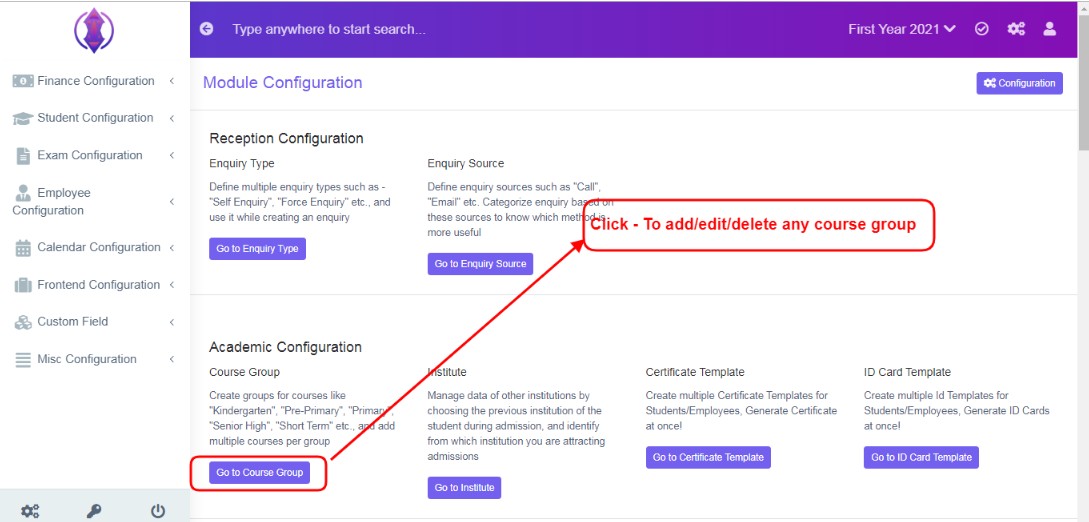
Figure 12
To Add, Edit or Delete created Drop down lists:To add, edit or delete any data from any drop down list of this module, ex: Course group, click - Configuration, Module Configuration and then go to the required configuration tab, a screen will be displayed, refer figure:12&13.
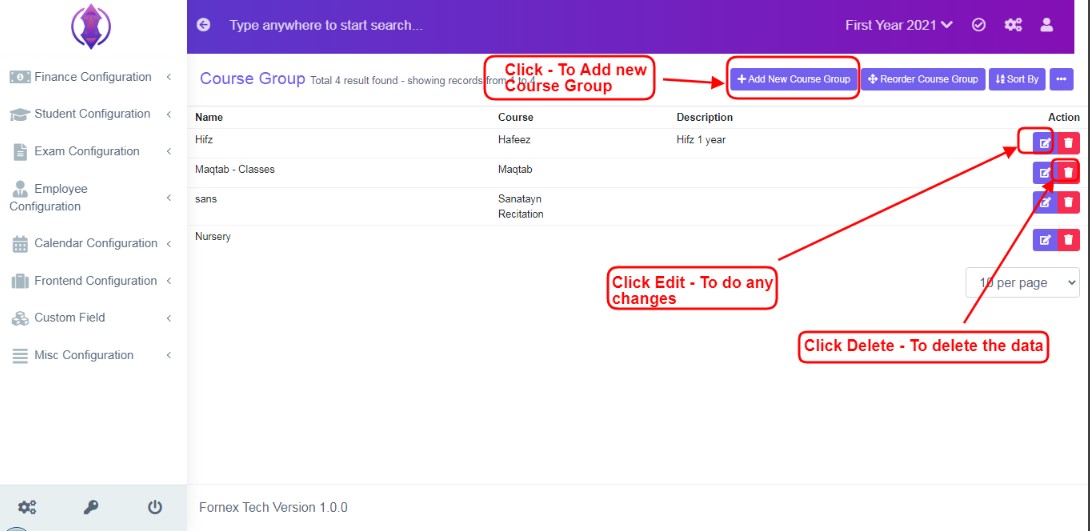
Figure 13Refer figure:13, you can edit, delete and add a new course group, of this module, from here. Edited & Deleted entries here, will be reflected in the drop down list in the front-end module.