Filter, Sort By & More Options Description
Filter Fields Description
- — Select Batch & Date Effective
- — Print Selected Batch Timetable Tab
Sort By Lists Description
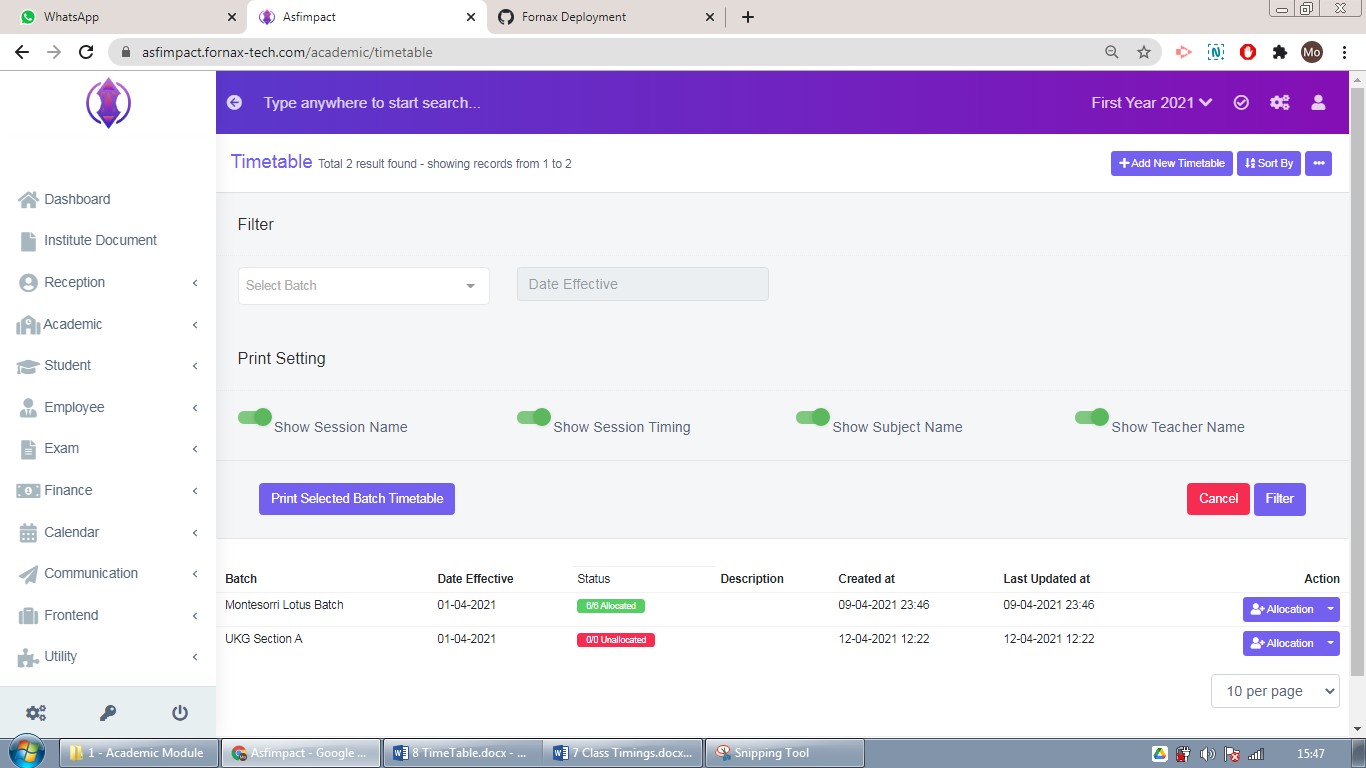
Figure 6Select Batch & Date Effective
Select the batch from the drop down list, to filter accordingly. Select date from calendar view to filter the data.
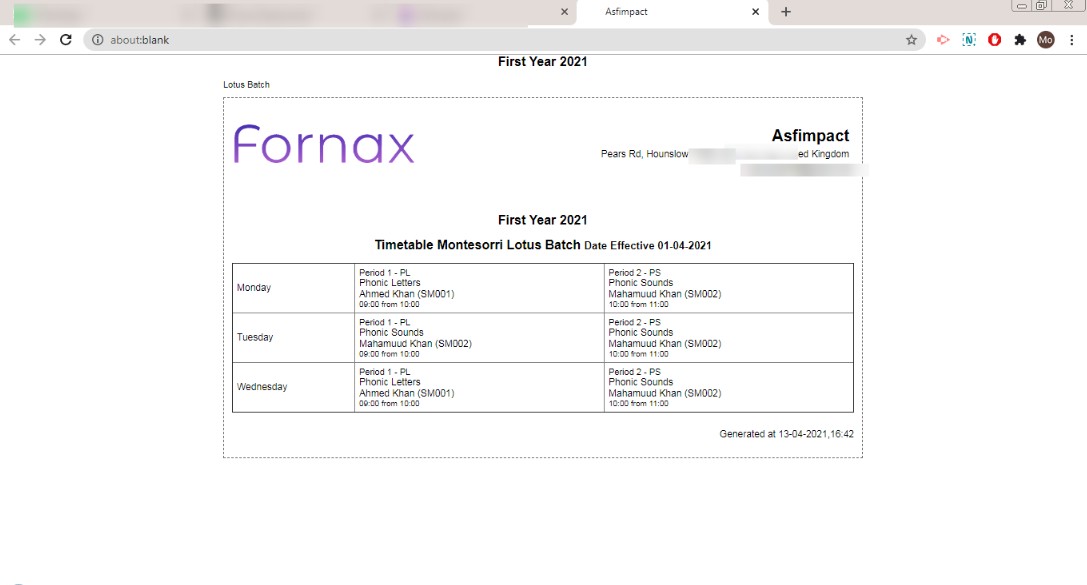
Figure 7Print Selected Batch Timetable Tab
To print, timetable of the selected batch, enable the required options, refer figure:6, which you want be printed. After selected enabled/disable options, click on Print Selected Batch Timetable, to view and print the timetable, refer figure:7.
Sort By
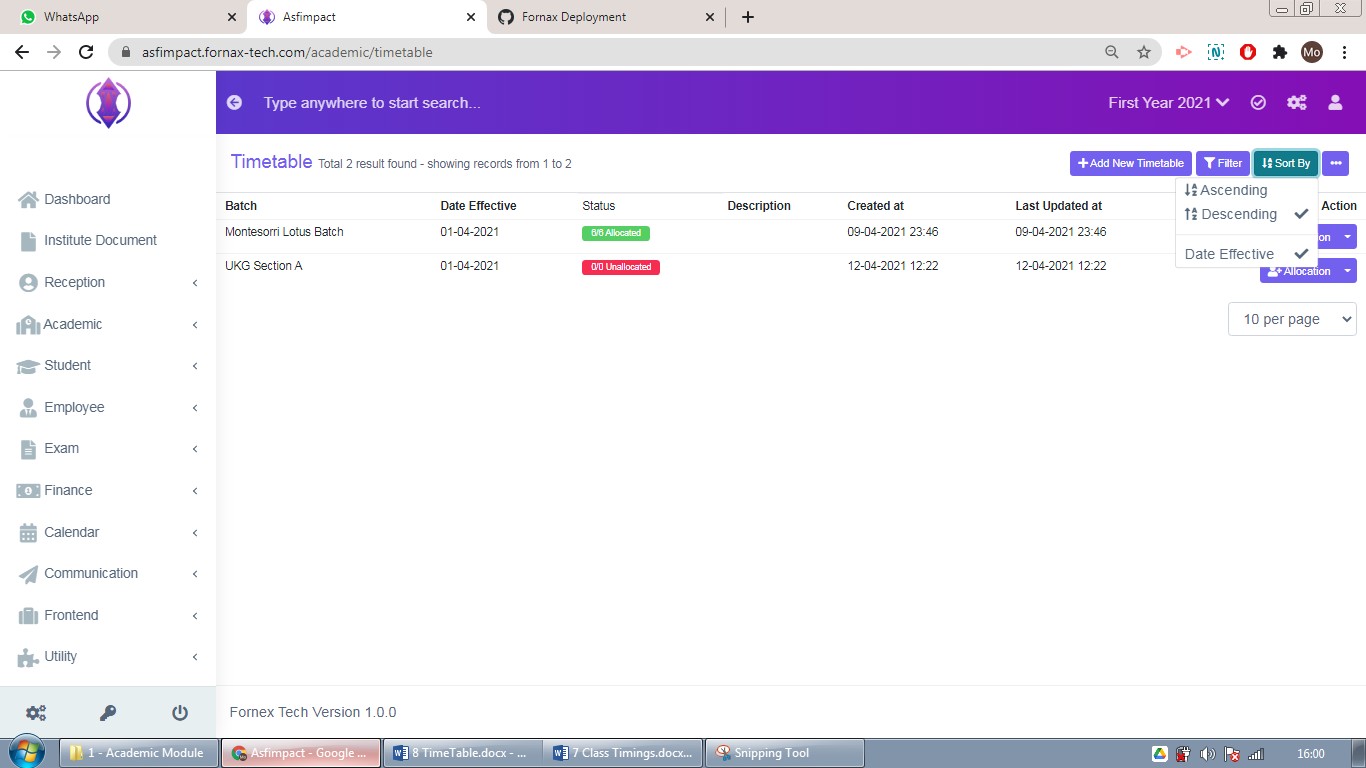
Figure 8
Ascending & Descending Date of Effective: Selected date of effective of batches will be display, oldest to latest dates and latest to oldest date in order.
Print & Generate PDF: Use, Filters’ Print Selected Batch options, Sort By or use default data of table, to view and Print or Generate PDF, data table, according to your requirements.