Filter, Sort By & More Options Description
Filter Fields Description
Sort By Lists Description
More Options Description
- Print Option
- Generate PDF/Excel
Filter Fields Description:
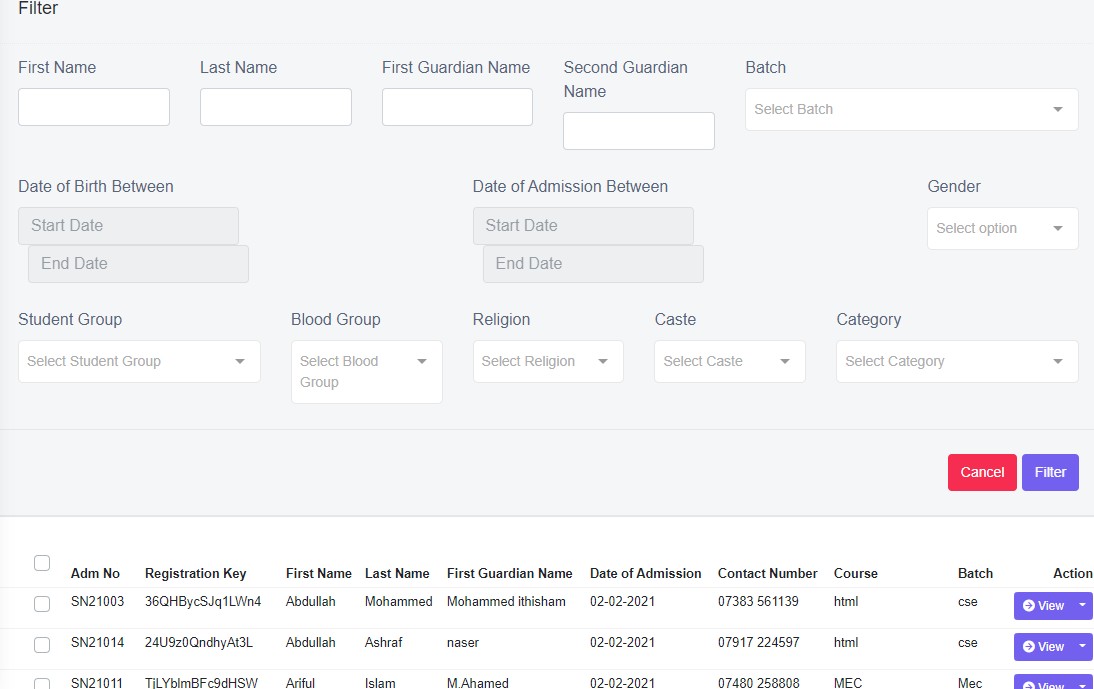
Figure 29
Click Filter, after the selection is made and view the results in data view table.
Sort By
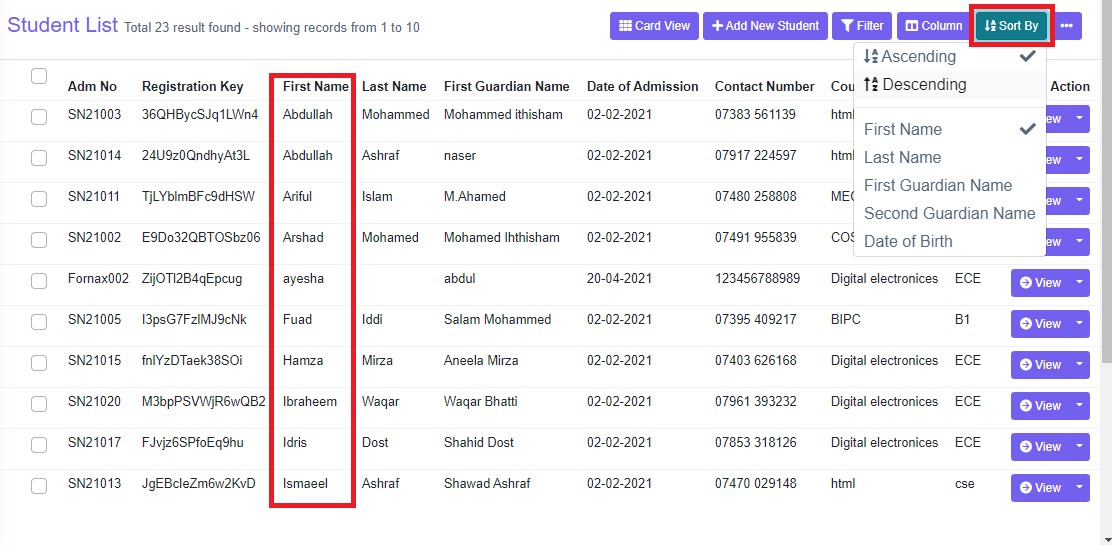
Ascending & descending
Created at:
To know when the record/data was entered-created.
More options Description
Print Option:
To print the data table view data, click ‘Print’, this will Open a new tab, listing table view data, to Print. Refer figure:31
To print more specific data, ex: all course group as Primary, use filter option and then use print option, only filtered data will be listed in the new tab to print.
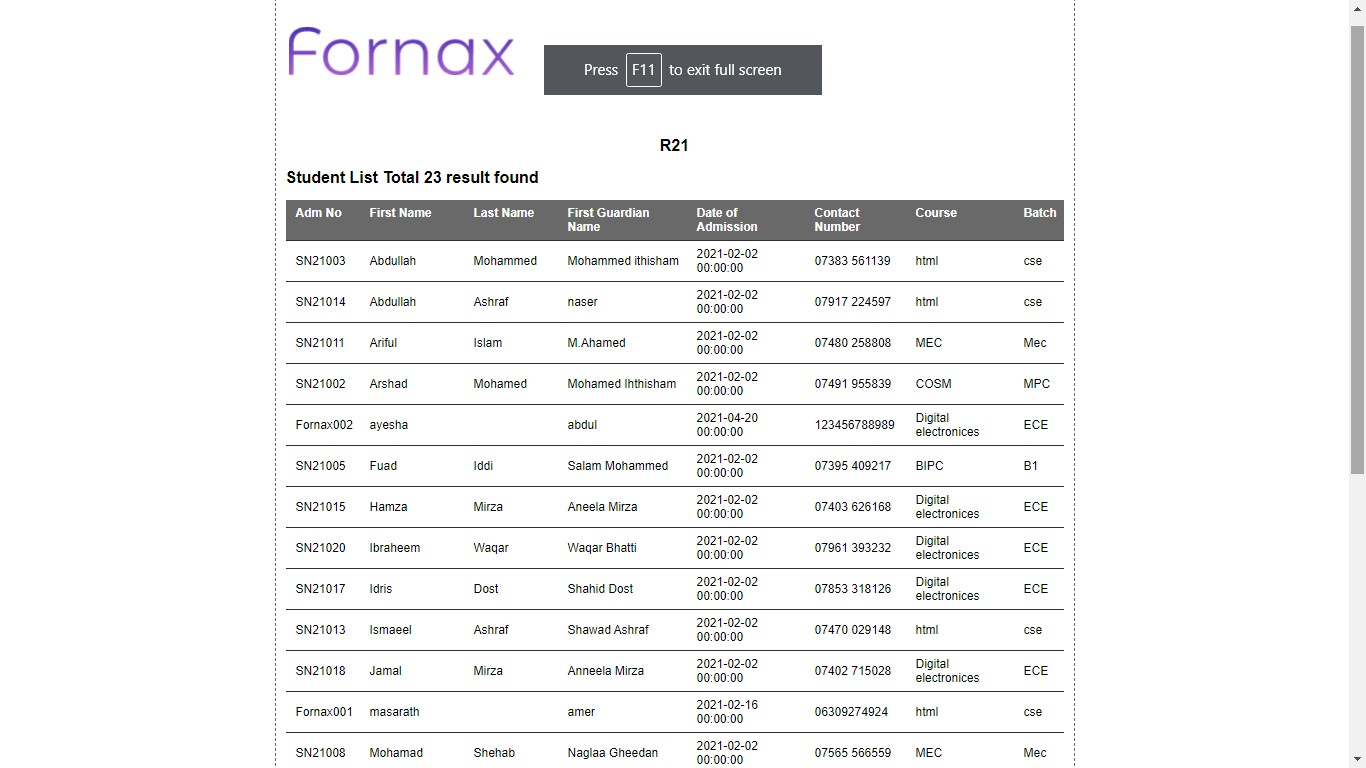
Figure 31Generate PDF/Excel
To download PDF/Excel to the desktop, click ‘Generate PDF’or ‘Generate excel’ a pop up save as box will open confirming it to save it on desktop. Click ‘Save’ of the pop up box and the pdf/excel will get saved on your desktop. Refer figure:. You can also use filters, to export more specific data in pdf.
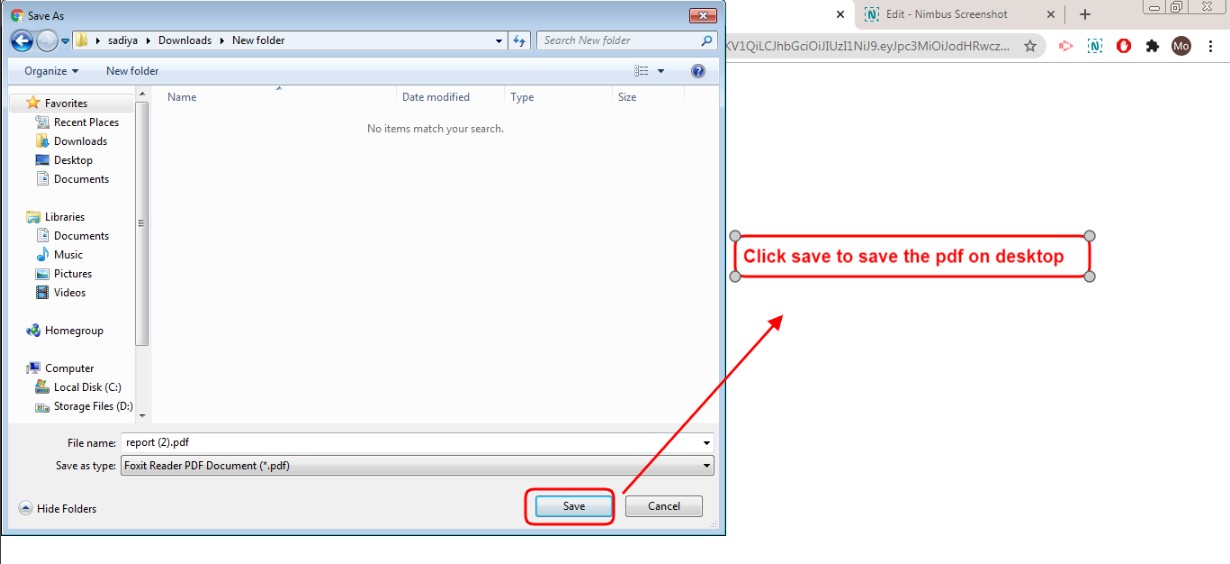
Figure 32