Attendance
This module is to record the attendance of the students of each class/batch.
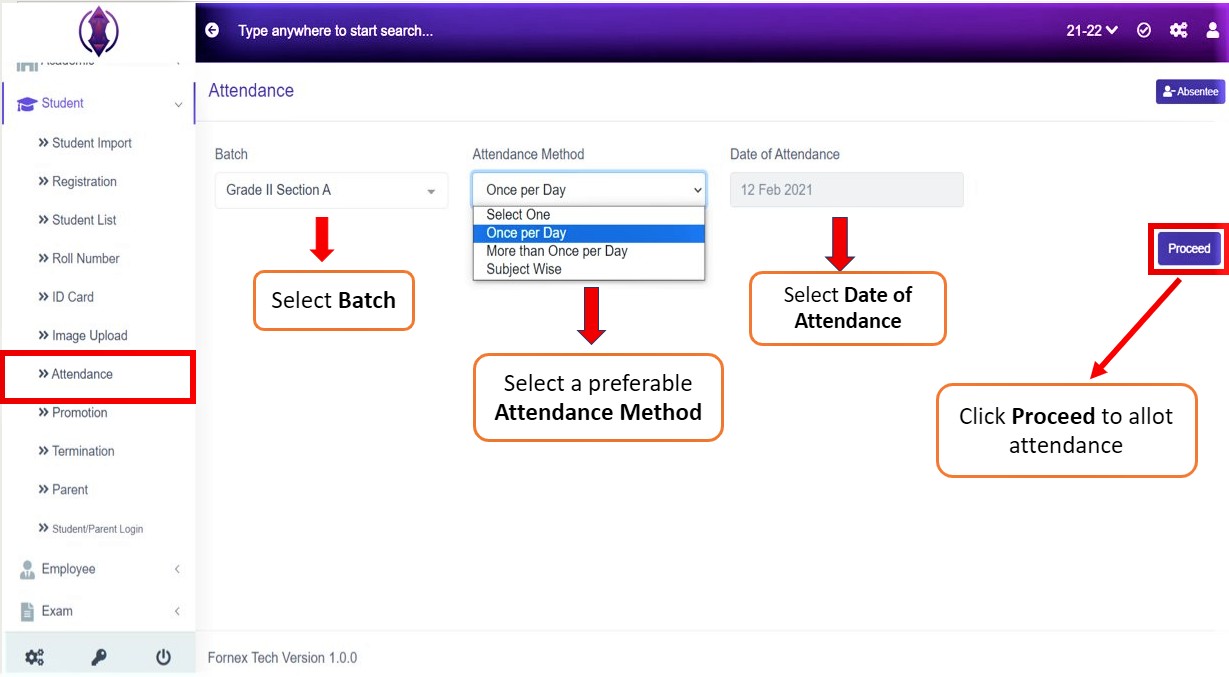
Figure 1
Click ‘Attendance Tab, Batch, Attendance Method from the drop down list and select the date of attendance from calendar view. and click Proceed to allot the attendance to the selected batch. A calendar view of a month and all the students name of the respective batch will be displayed below, refer figure:2,
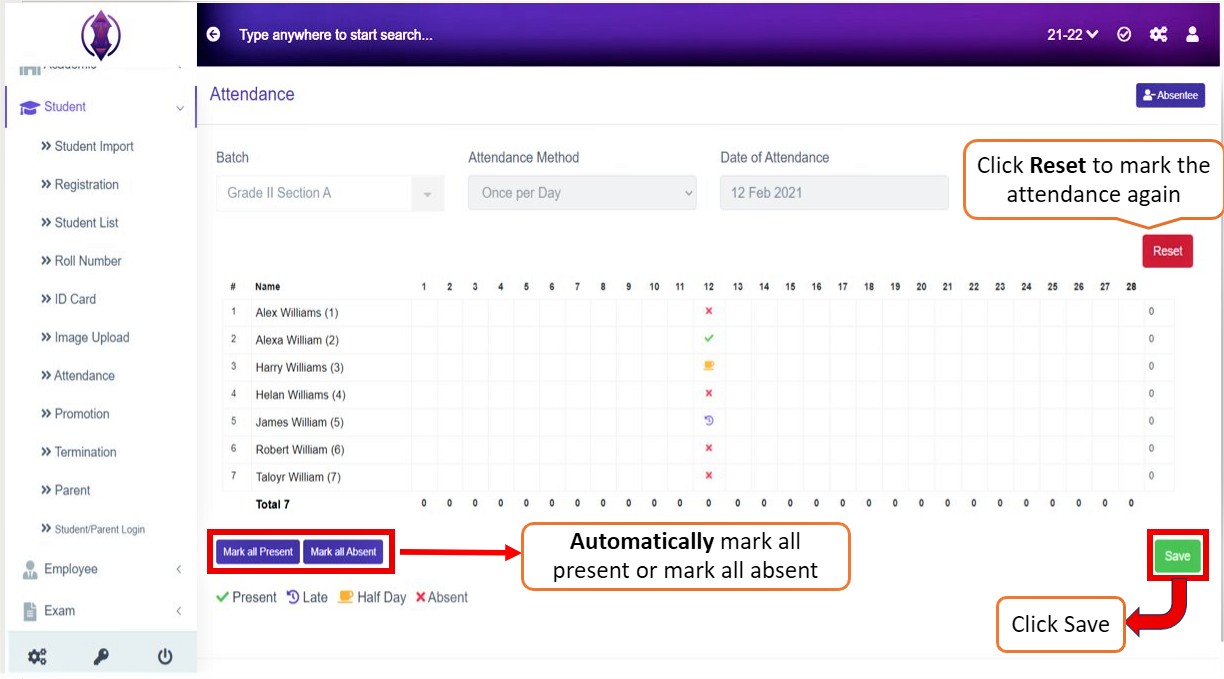
Figure 2
Automatically mark attendance by selecting the “Mark all Present” or “Mark all Absent” button or mark the attendance manually by clicking in the box twice. As you click your mouse in the box twice the attendance type icon appears

(Select the one required). If the marked attendance is wrong, click Reset. If the marking attendance is done, click ‘Save’.