Image Upload
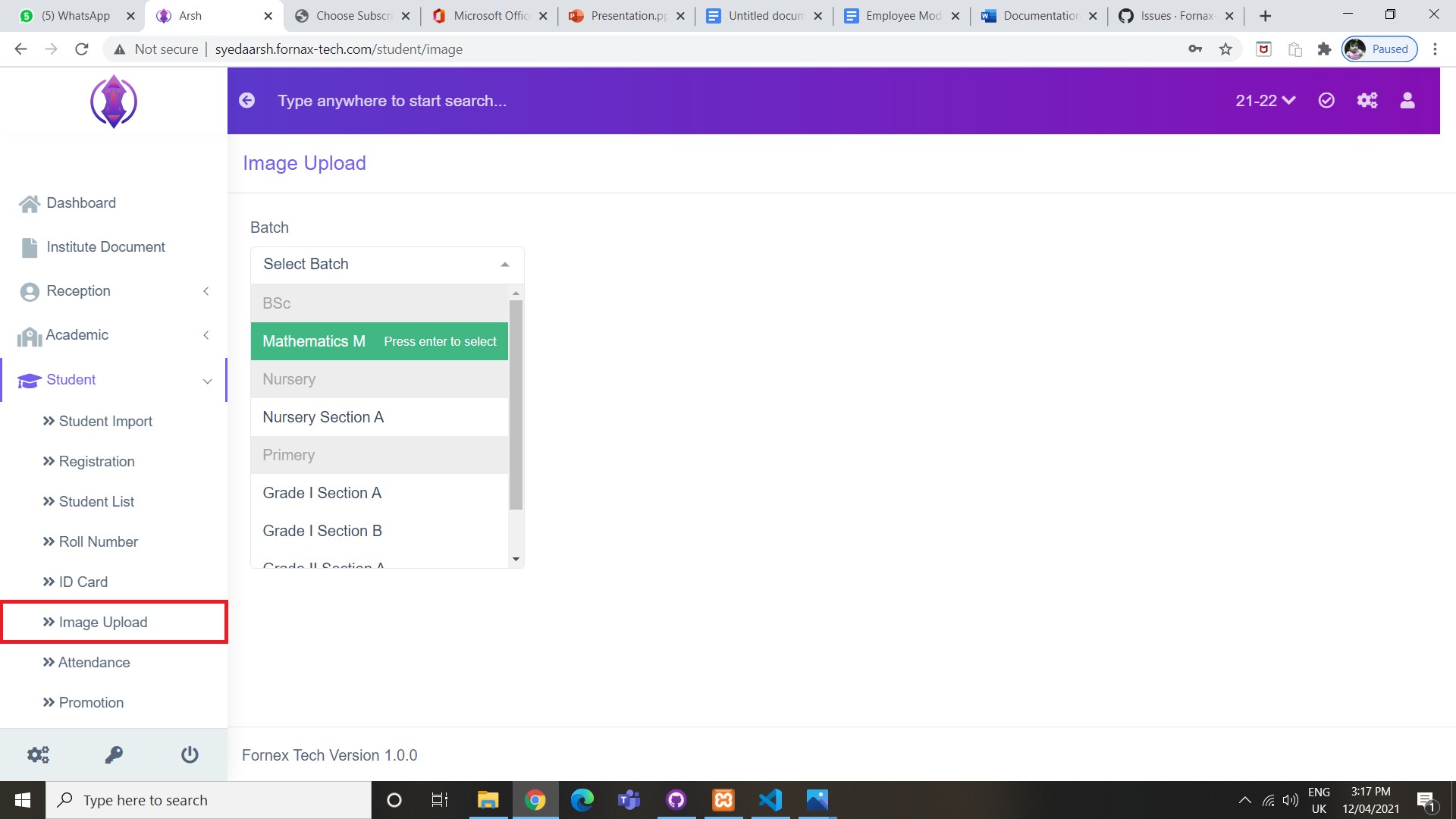
Figure 1
Upload the Image of students using Image Upload.
To Upload Image of students
Click Image Upload tab and select Batch from the drop-down list. Refer figure:1.
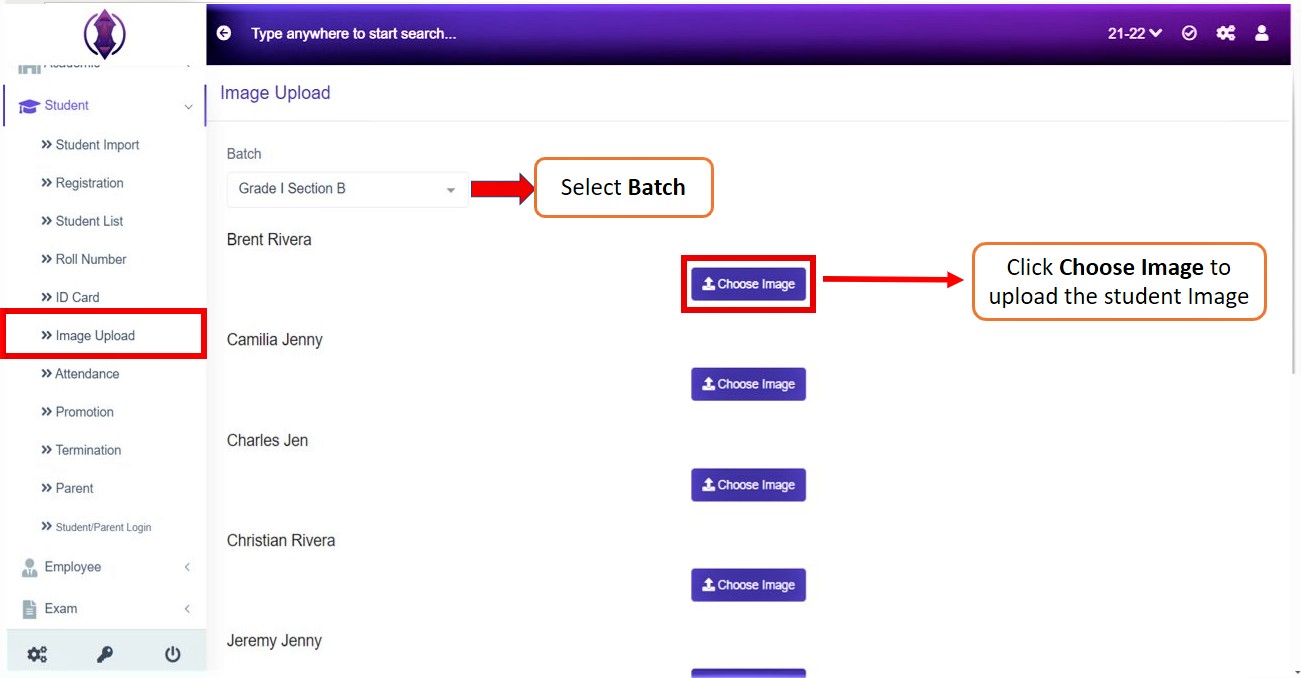
Figure 2
Once the batch is selected, the list of students in the batch appears. Click Choose Image , refer figure:2, and Click Upload  , to upload the student image.