Roll Number
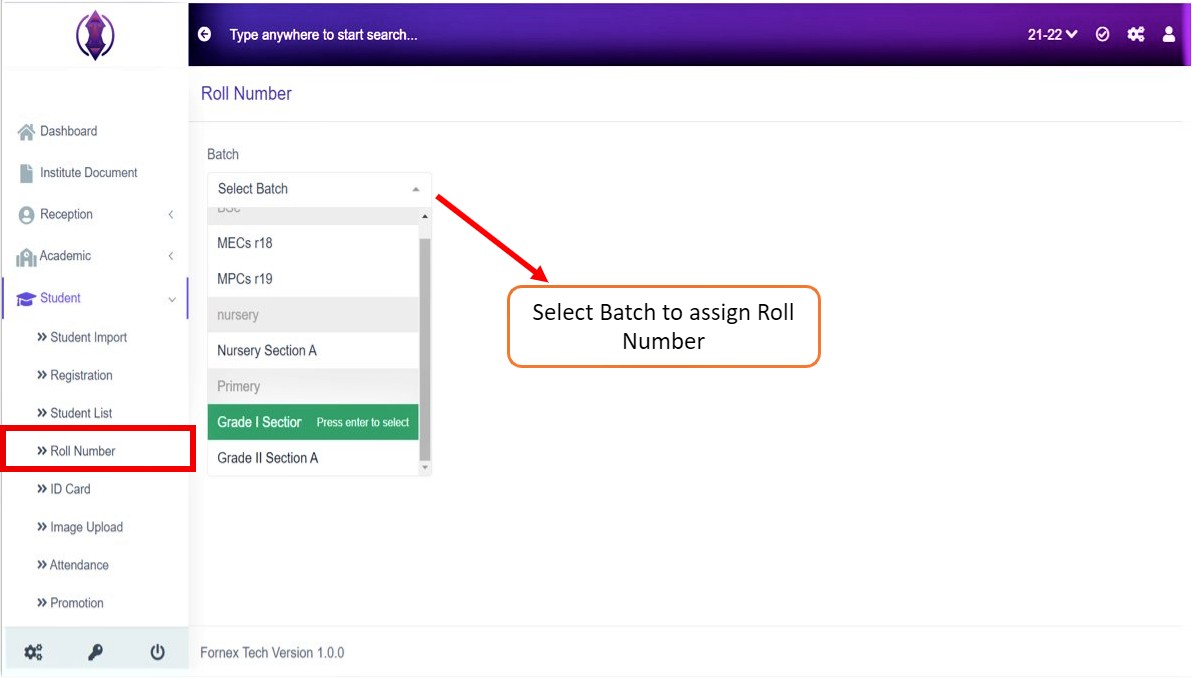
Figure 1
This tab, helps you to assign roll number to the students’ batch either automatically or manually. Select a batch and assign the Roll Number to the students as required.
To Assign Roll Number to a Batch
Select batch from the drop down list, once the batch is selected you are directed to the page where you can assign the students their roll numbers. Refer figure: 1&2.
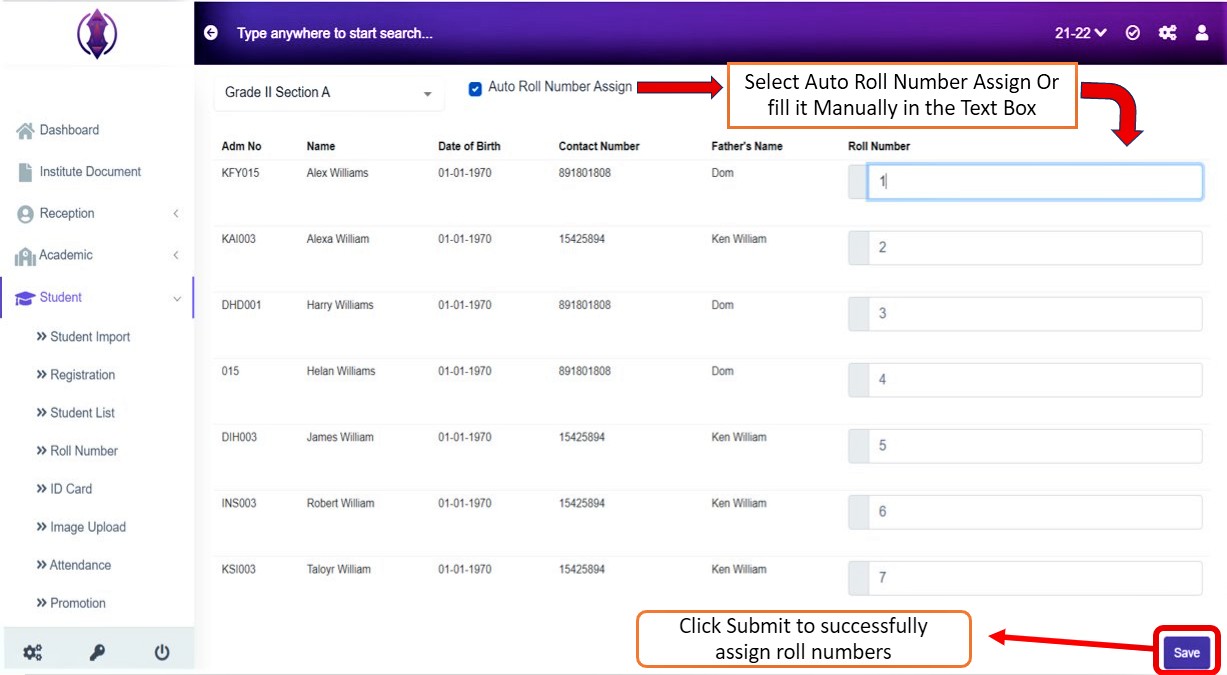
Figure 2
Assign roll numbers automatically by clicking the checkbox or assign the roll numbers manually in the text box provided, refer figure:2.
After the required information is entered, click ‘Save’, green popup screen will be displayed on the bottom right hand side of the screen, as “Roll Number updated”.