List Attendance
Attendance List is similar to filter option.
Here you can select any perticular field of the employee list for attendance by – Employee Category, Designation, Department and Month and view the attendance for the employees you want to view individually.
Once the List is filtered using any field from the above, the list of employees filtered is displayed down in the list.
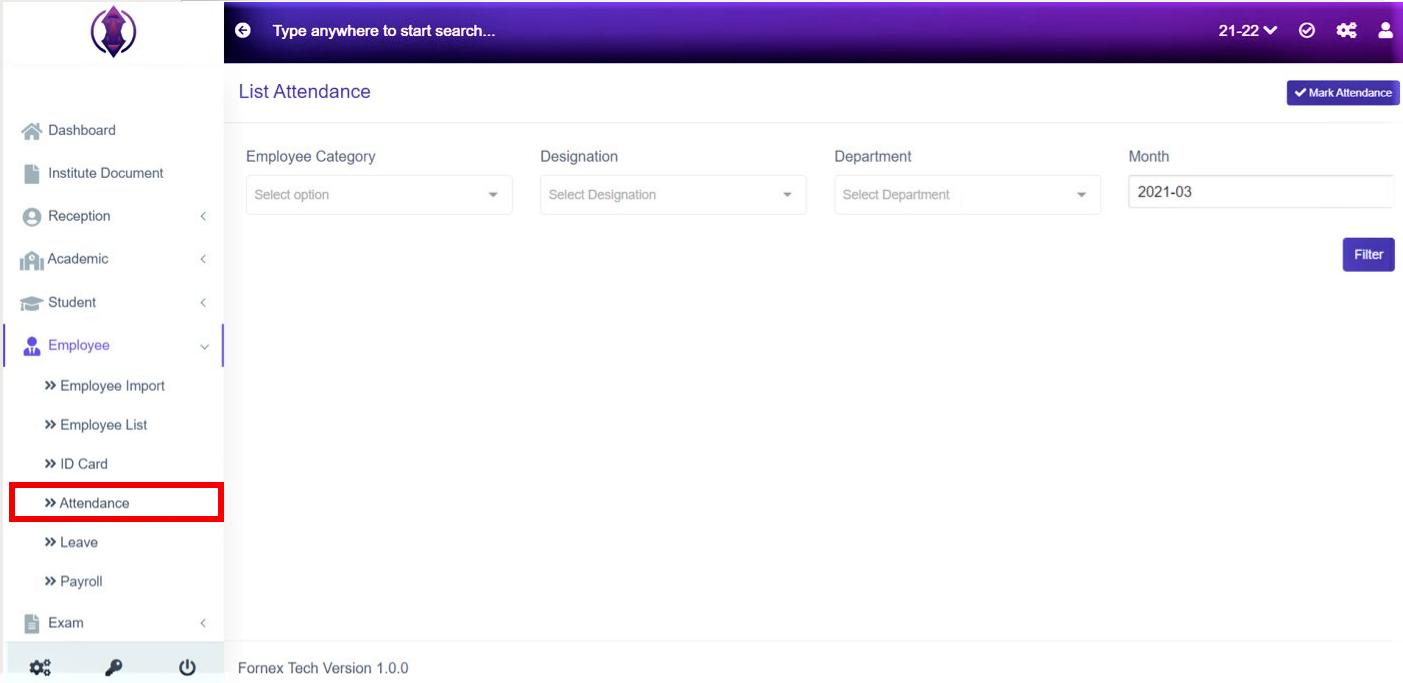
Figure 23Employee Category:
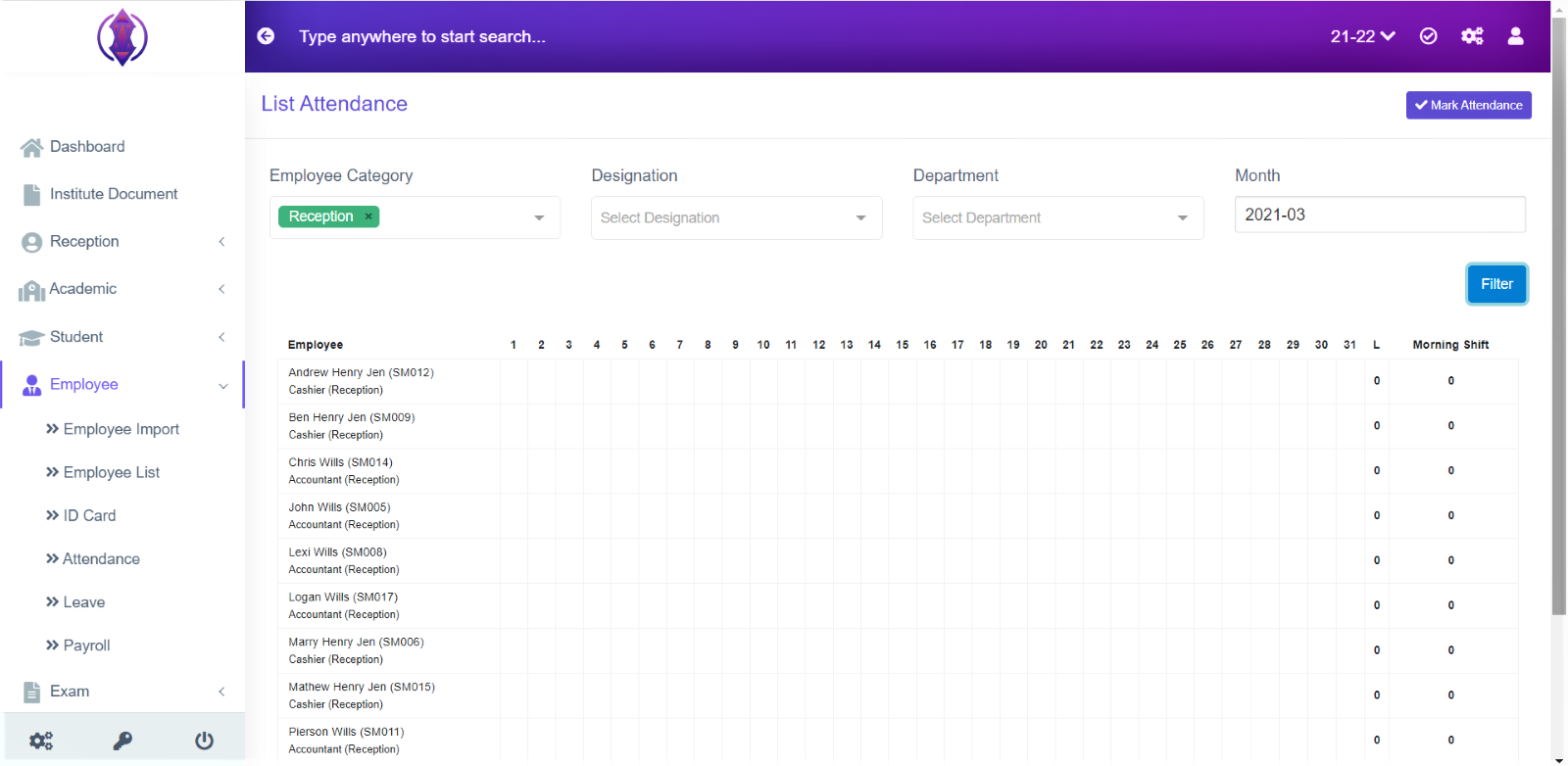
Figure 24It is used to filter the Employee Category.
Select the employee category from the drop-down list, you want to filter,
Ex: Reception or Hostel, and click ‘Filter’, and attendance of the entered employees present in that category will be displayed, in the table list view, refer figure 24.
Designation:
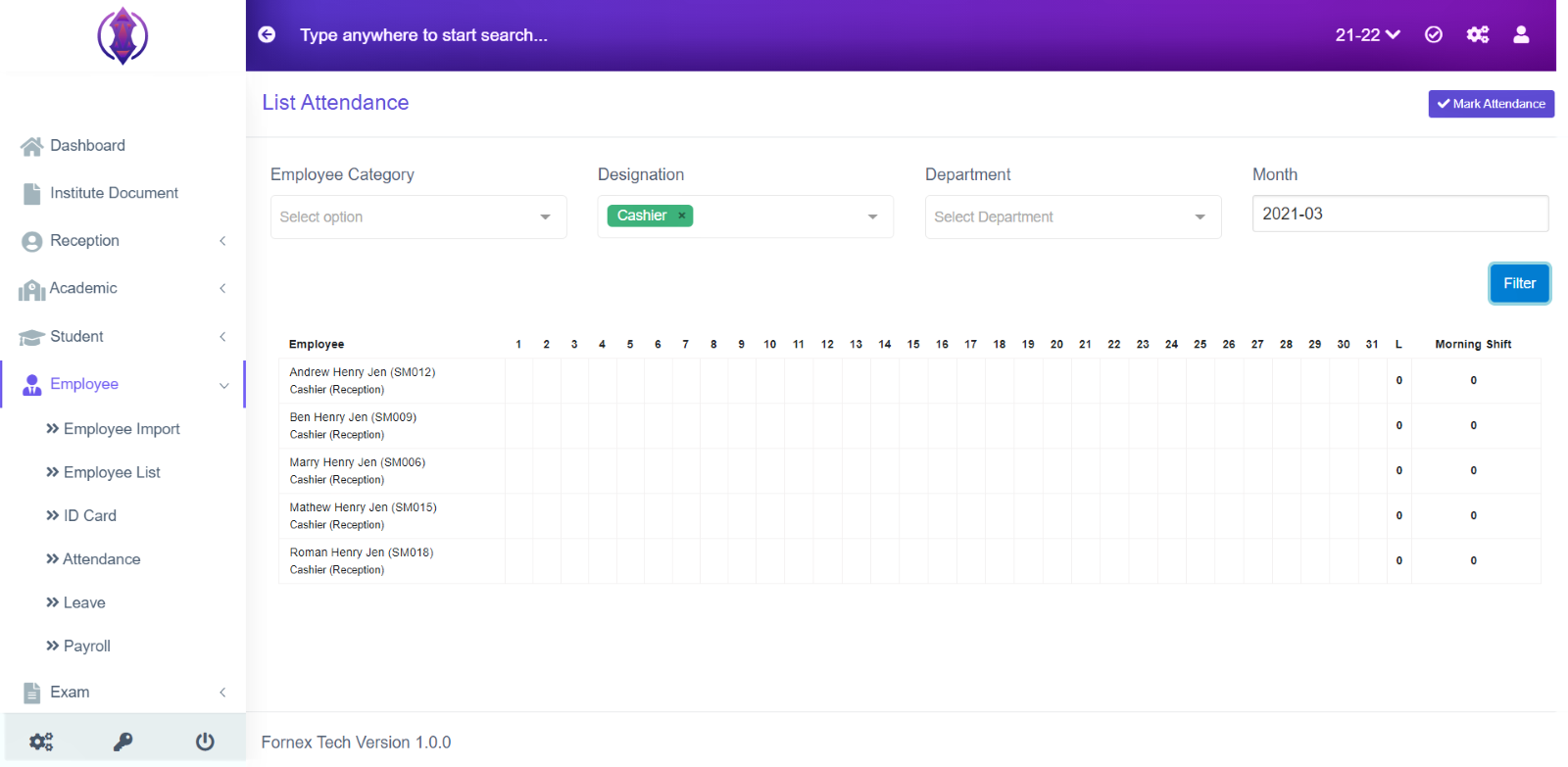
Figure 25 It is used to filter the employees with their Designations.
Select the designation, you want to filter,
Ex: Cashier or Hostel Management, and click ‘Filter’, and attendance of the entered employees present in that designation will be displayed, in the table list view, Refer figure 25.
Department:
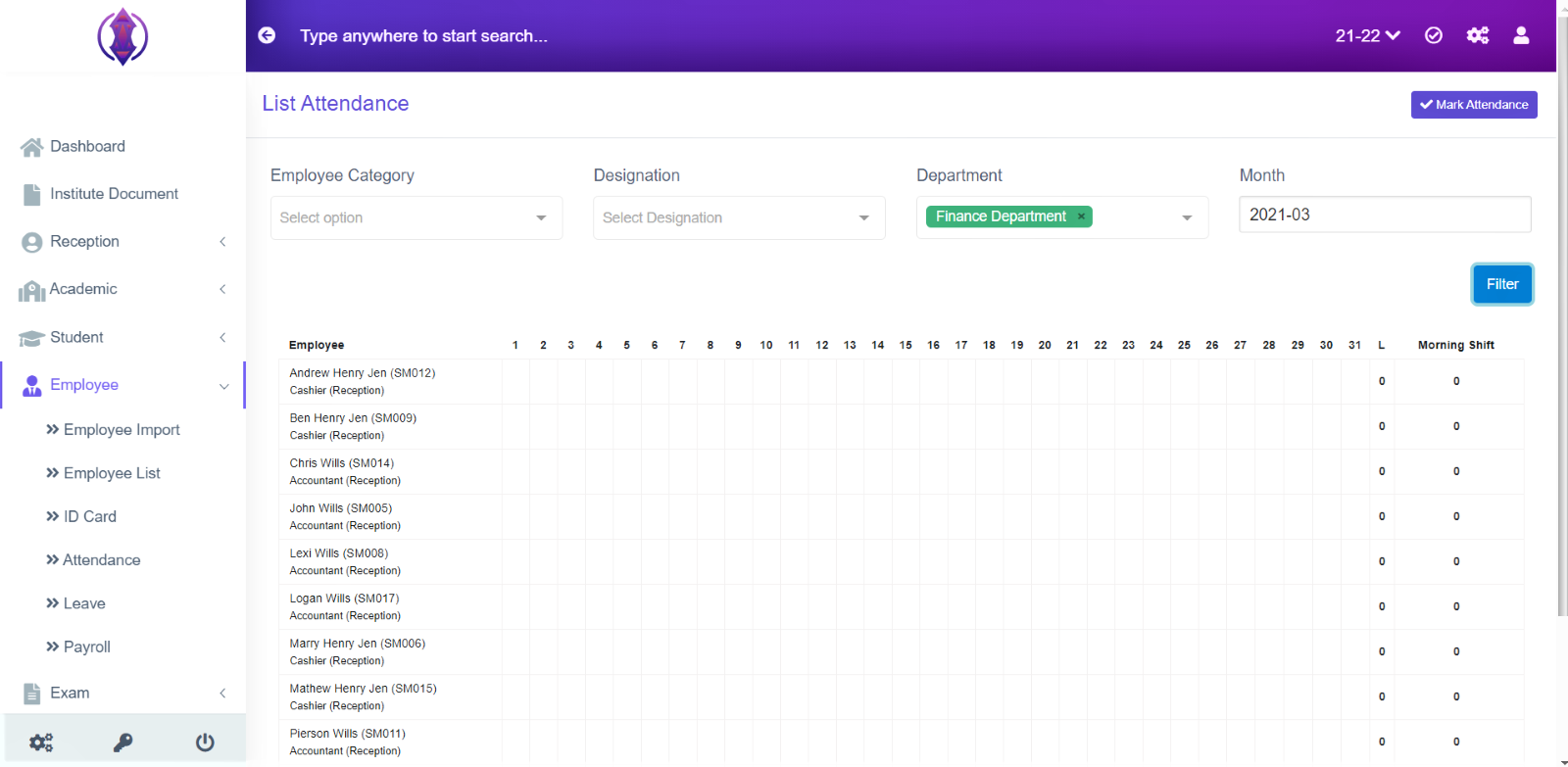
Figure 26 It is used to filter the employees with their Department.
Select the department, you want to filter,
Ex: Science department or Finance Management, and click ‘Filter’, and attendance of the entered employees present in that department will be displayed, in the table list view, Refer figure 26.
Month:
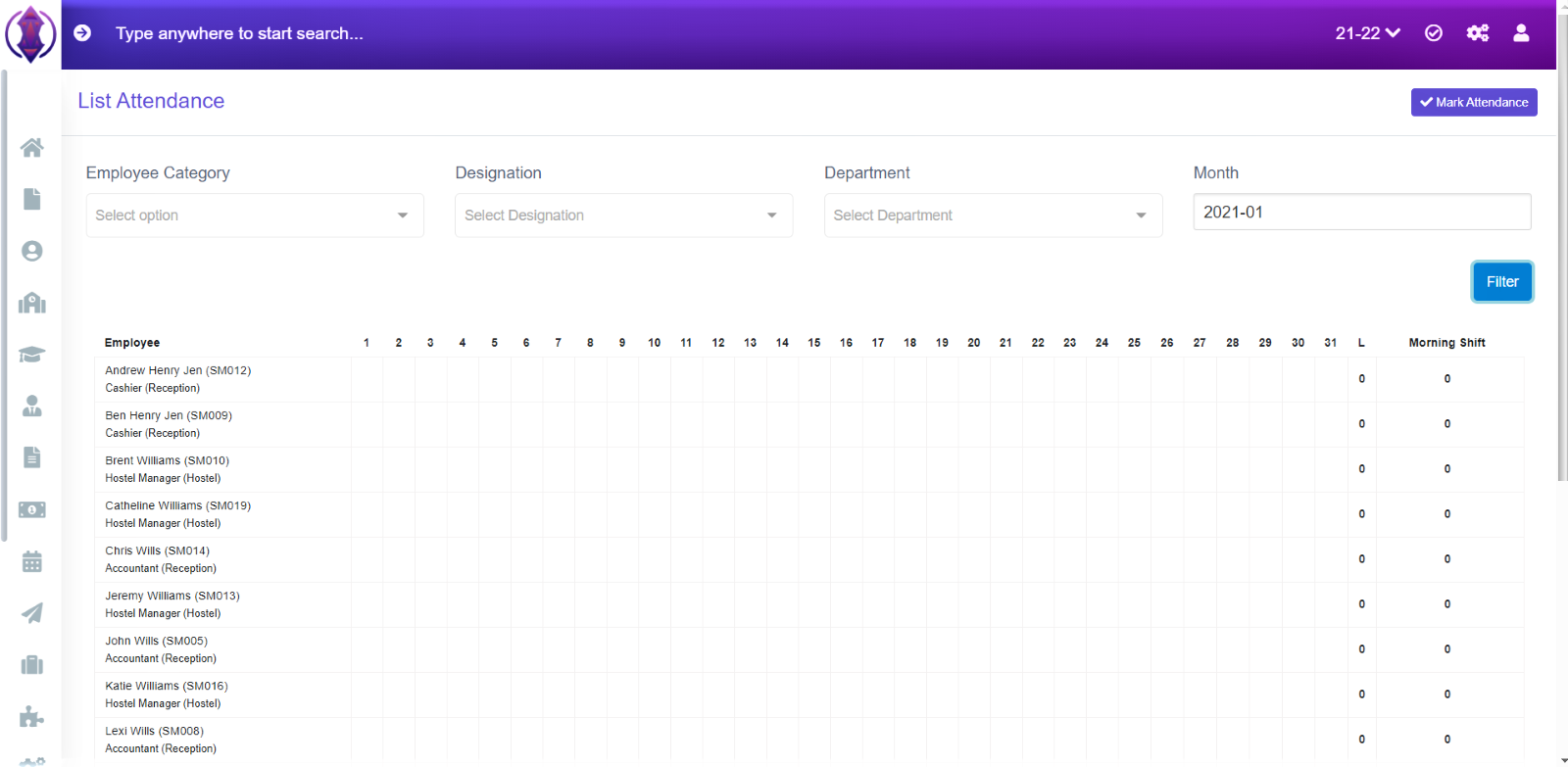
Figure 27 It is used to filter the employees based on Month.
Select the month, you want to filter,
Ex: 2021-03 or 2021-04, and click ‘Filter’, and attendance of the entered employees present in that month will be displayed, in the table list view, refer figure 27.