Fee Concession
Create and manage multiple fee concessions and discounts for students and it List all Fee concessions.
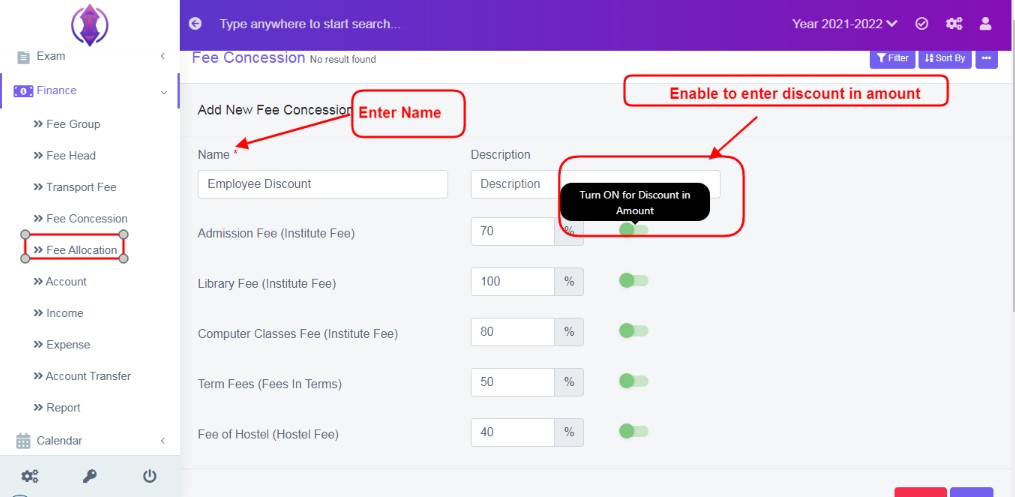
Figure 13Add New Fee Concession
Click ‘Add New’ to add fee concession.
Name: Enter a name for concession.
Description: Enter description.
List of Fee Heads: All fee heads created in Fee Head Tab will be listed, with field box to enter number.
Enable Fee Concession in Percentage/Amount: To enter the fee concession the default is percentage value , if you click enable  , Percentage will change in to amount value.
Data Table View Description:
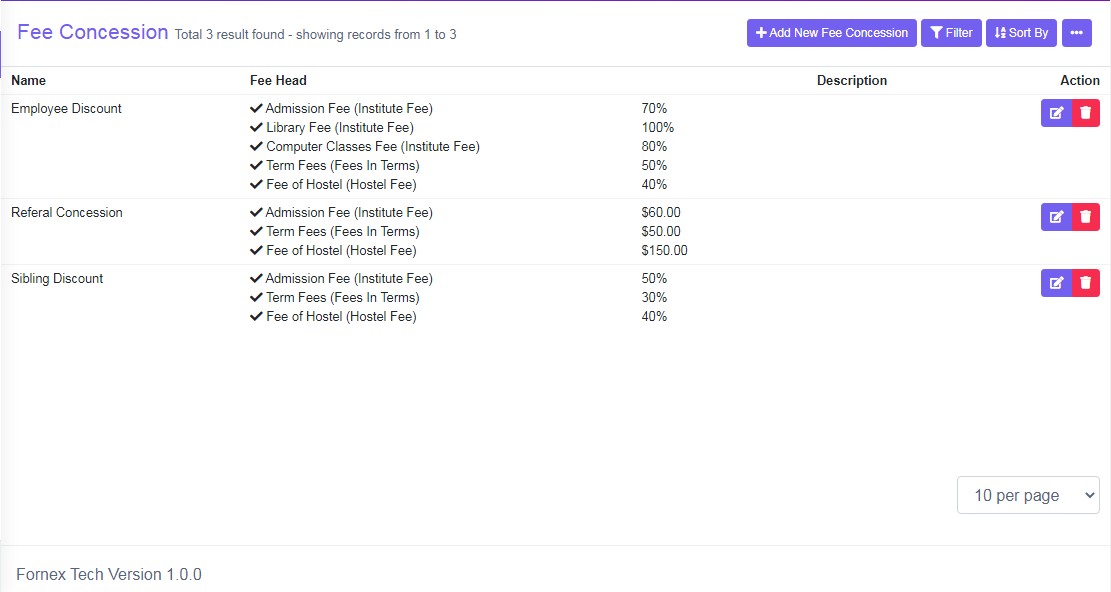
Figure 14The data table lists, which Fee heads are enabled and in brackets their respective fee group, and numeric value in Percentage or Currency amount value is displayed.