Transaction Summary Report
This tab helps to find, get all transaction summary including payments, receipts at one place. Use Filter reports with various filter.
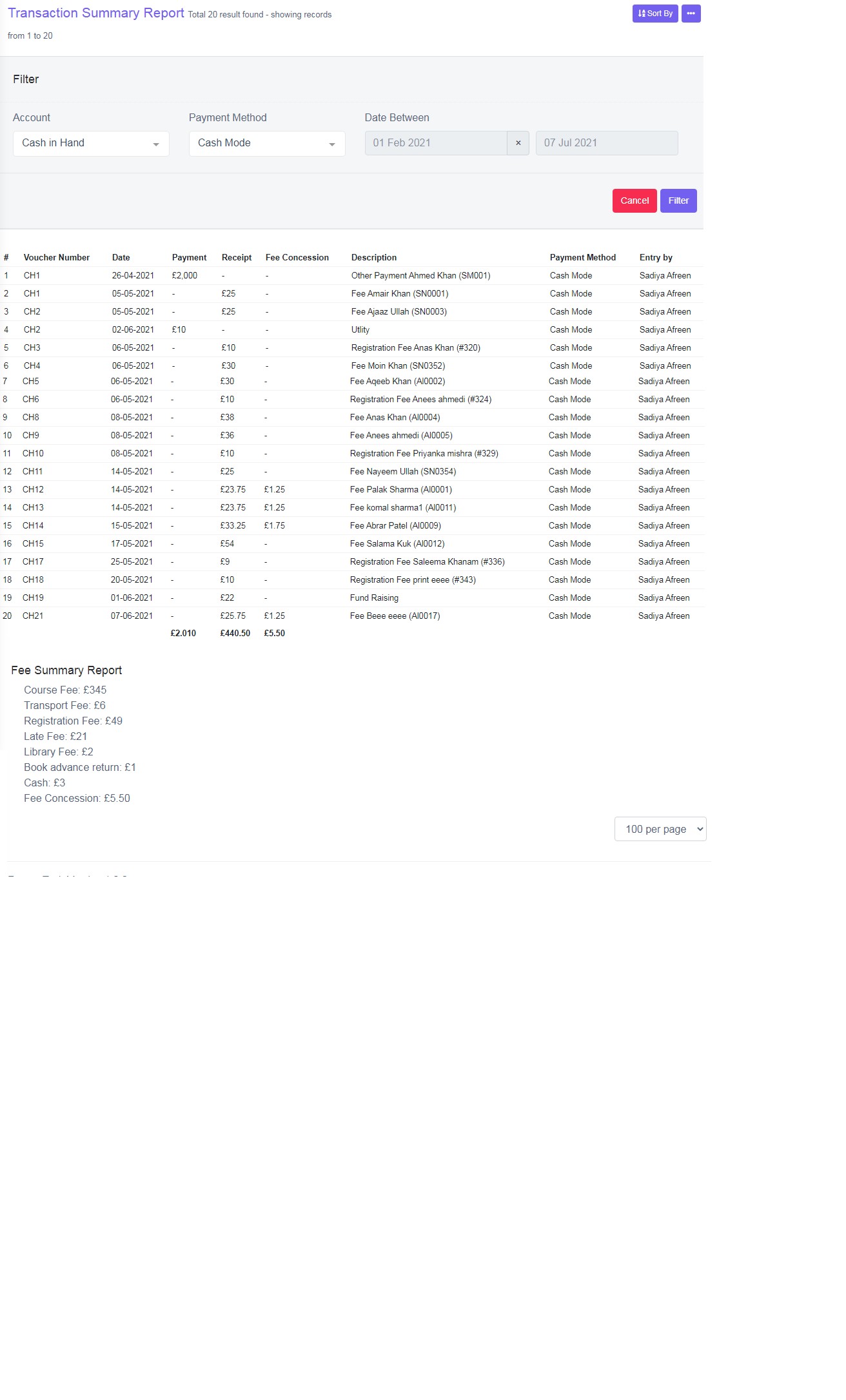
Figure 13
Account
Select Account from the drop down list, to view summary report.
Payment Method
Select the payment method.
Date Between
Select from and to date.
Once you click ‘Filter’, a data table view is displayed, below displayed Voucher Number in ascending order and date. Payment, receipt and description, payment method and entry by name of user.
Fee Summary Report
The Summary of Fee is displayed.