Accounts
- Accounts
To Add New Account
Form Fields Description
- — Name
- — Voucher Prefix
- — Opening Balance
- — Select Bank or Cash
- — Is Active
- — Account Number, Brach Name, Bank Name Bank Identification Code
Data Table View Description
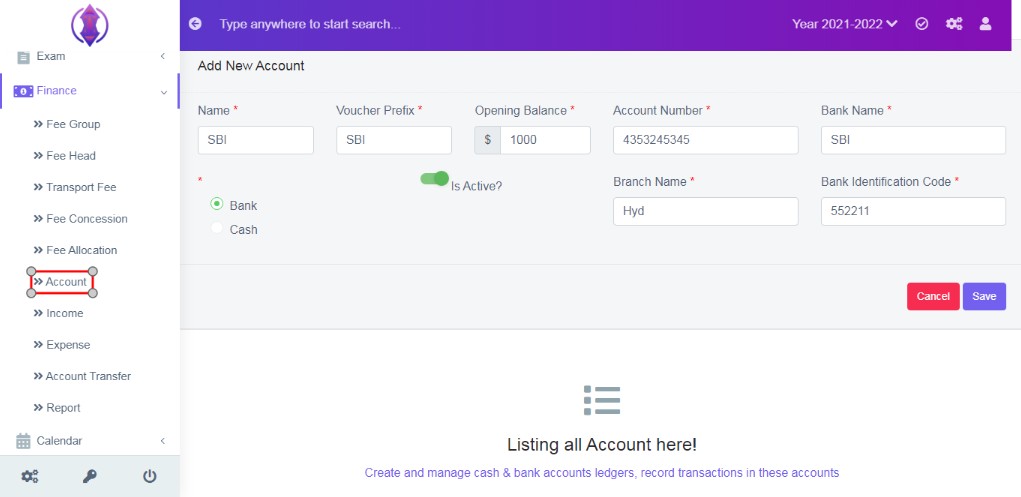
Figure 1
Create and manage cash and bank accounts ledger, record transactions in these accounts.
To Add New Account:
Click on ‘Add New Account’. Enter the details and click ‘Save’.
Form Fields Description:
Name
Enter a name for account.
Voucher Prefix
Enter voucher prefix, the receipt prefix. Ex: AB, CH, MN etc. Refer Figure:2, as example.
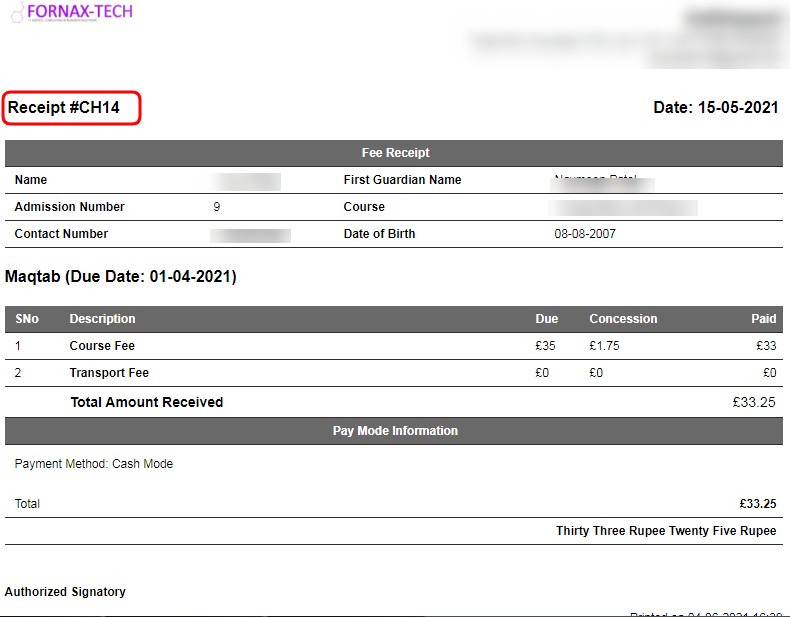
Figure 2Opening Balance
Enter amount of opening balance.
Select Bank or Cash
Select the bank or cash details
Is Active
Enable this use as active and to view it, in drop down list of accounts fields.
Account Number, Brach Name, Bank Name Bank Identification Code
Enter the details as required.
Data Table View Description:
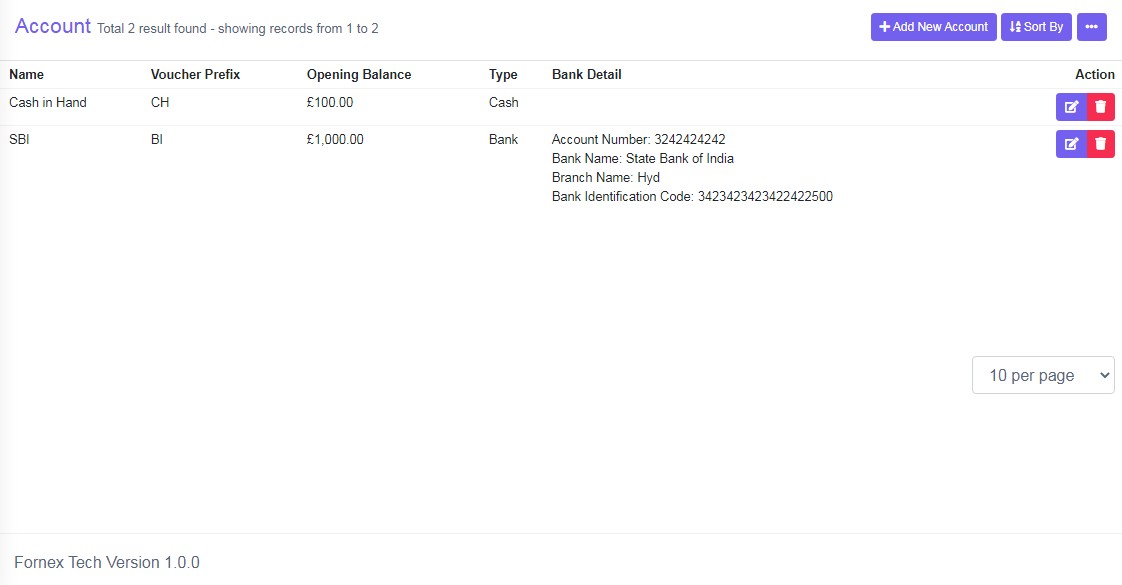
Figure 3The data table view is same as data entered in form fields description.