Fee Due Report
This tab helps to find, student's fee due including total fee, due date, late fee charge etc. Filter student with various filter.
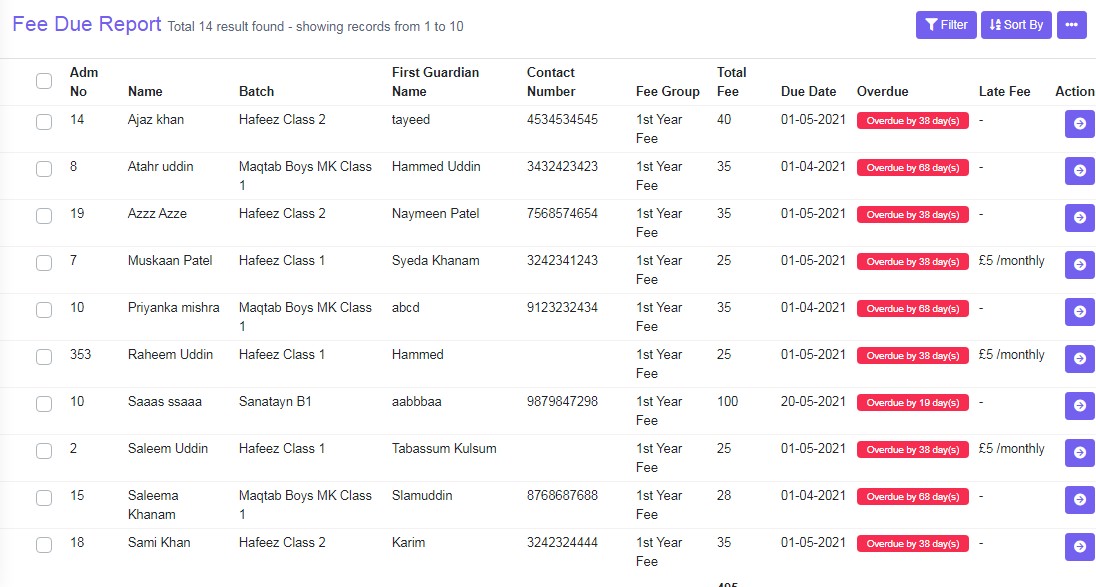
Figure 11
User Filter and Sort By to view the specific data. Two tasks can be done in this view
Action
Click ‘Action’ to, it will redirect you to the fee detail of the student, where a View Fee details, Pay Fee or Reset Fee or cancel fee payment, as required.
Send SMS
Select students by clicking on the left hand side tick box and then enter the variables in the SMS box and click ‘Send’ to send SMS.