Fee Allocation
Create class-wise/batch-wise fee allocation, add multiple installments of fee, schedule due date for each installment.
Add New Fee Allocation
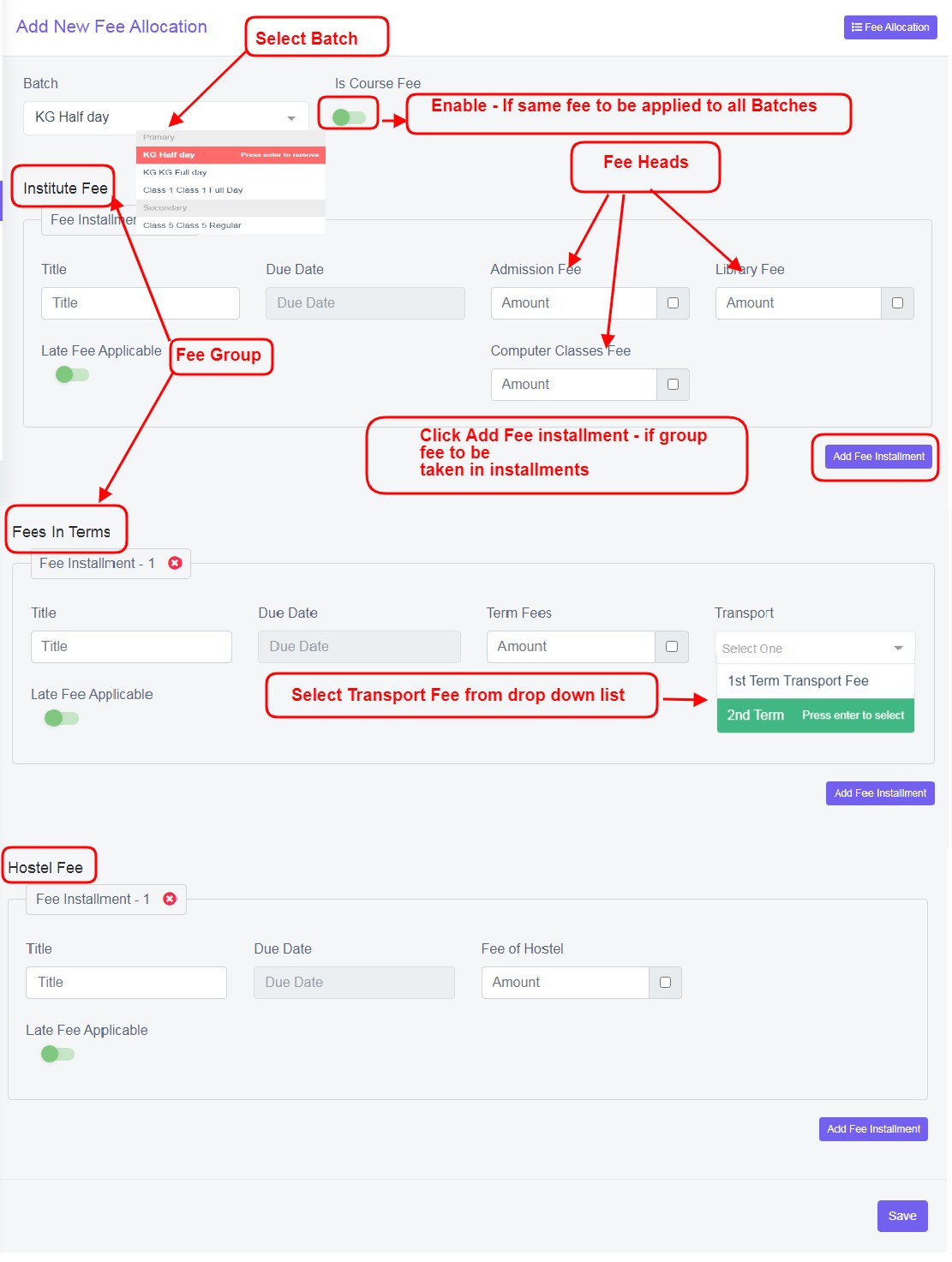
Figure 15Click ‘Add New’ to add new fee allocation.
Form Fields Description:
Batch: Select the batch from the drop down list
Is Course Fee: Enable this, if the batch has same fee in course group, heads and fee cost.
Fee Group Title: Enter Title for the respective fee group collection
Due Date: Enter Due dates
Fee Heads Names’ Amount box: Enter amount
Empty Tick Box: Tick this box if the fee is option
Late Fee: Enable this to charge late fee
Add Fee instalment: For any group, is amount, can be paid in instalments, click add fee instalments.
Delete Fee instalment: Click on delete fee instalment , if do not want to add this fee to the selected batch  .
.
Data Table View Description:
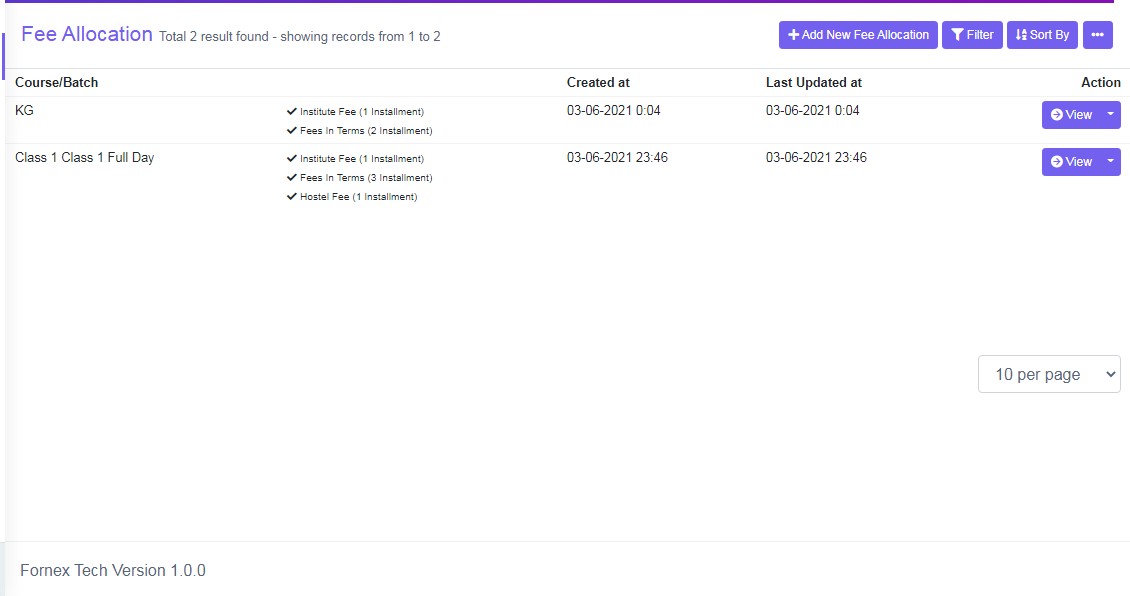
Figure 16Data table view list all the created course/batch fee details with created and last updated date and time.
View: Click ‘View’ to view all the fees in detail.