Filter, Sort By & More Options Description
Filter Fields Description
Sort By Lists Description
More Options Description
- — Print Option
- — Generate PDF
Filter Fields Description:
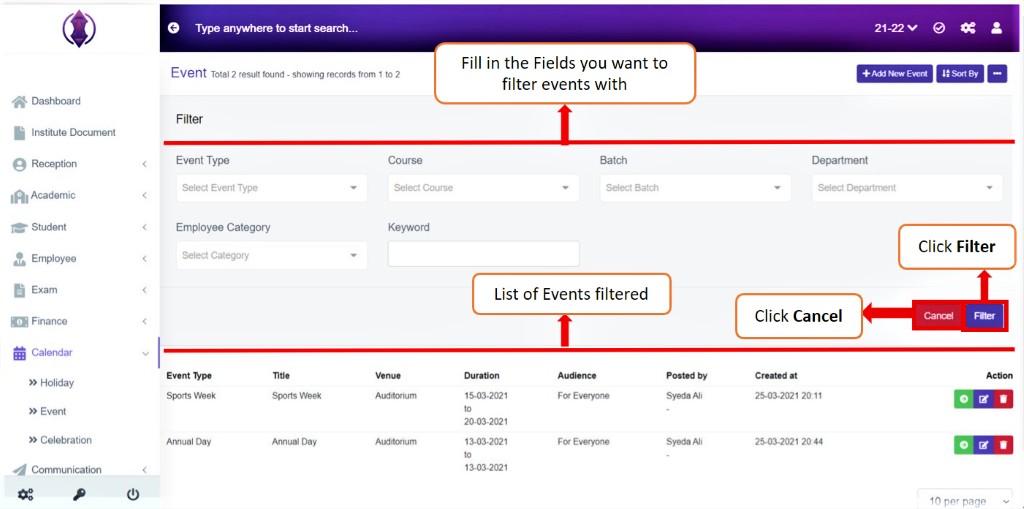
Figure 28Filter the Event list by – Event Type, Course, Batch, Department, Employee Category and Keyword.
Once the List is filtered using any field from the above, the list of events filtered is displayed down in the list.
Sort By
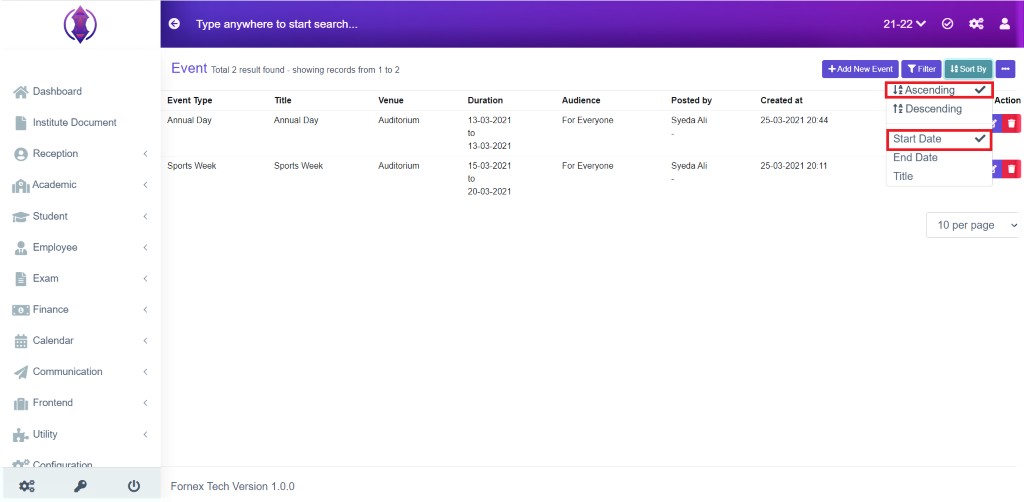
Figure 29
Ascending & Start Date: Selected Ascending and Start Date it will list, passed, present and far Start dates of events in order. Refer figure:29.
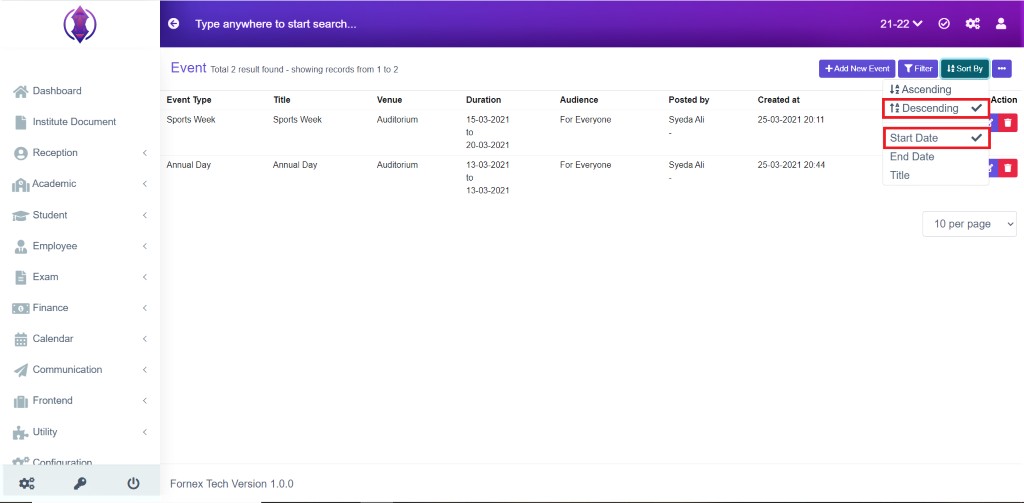
Figure 30
Descending & Start Date: Selected Descending and Start Date it will list, passed, present and far Start dates of events in order.
Refer figure:30.
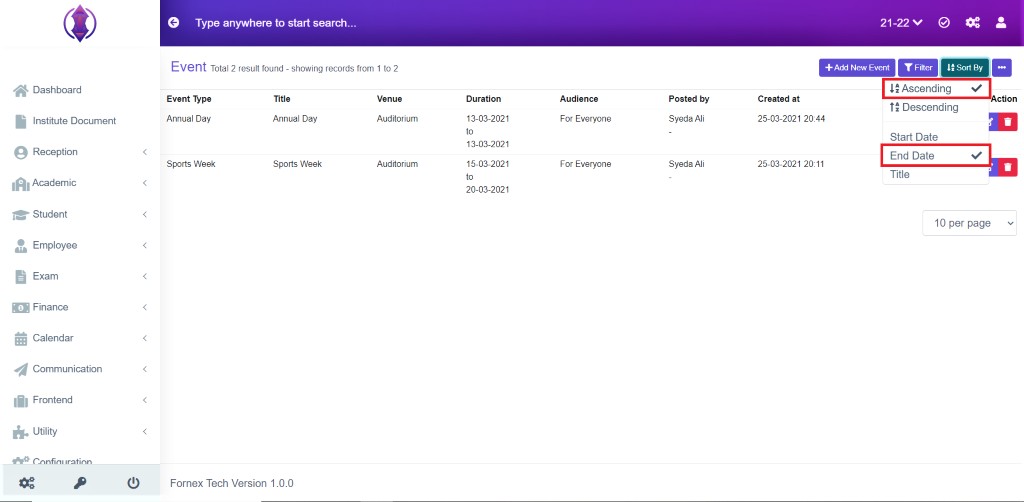
Figure 31
Ascending & End Date: Selected Ascending and End Date it will list, passed, present and far End Dates of events in order. Refer figure:31.
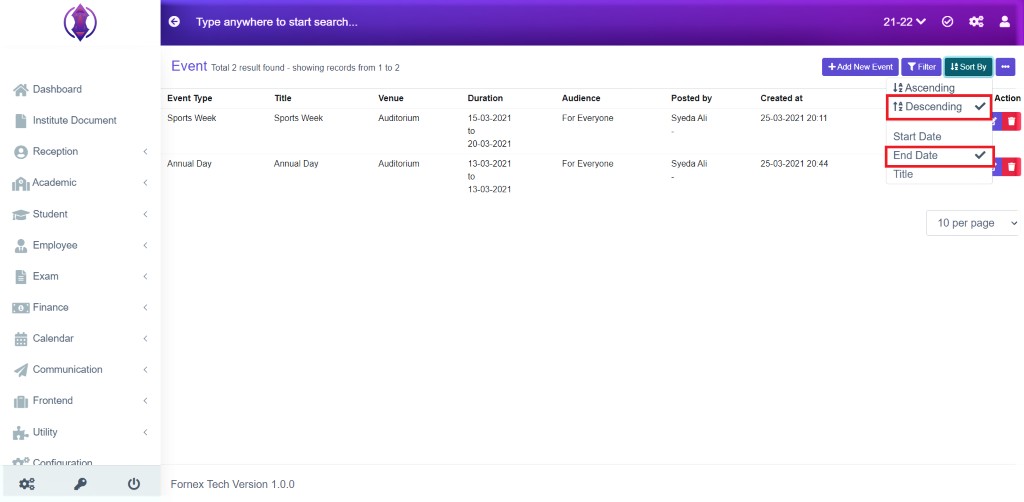
Figure 32
Descending & End Date: Selected Descending and End Date it will list, passed, present and far End Dates of events in order. Refer figure:32.
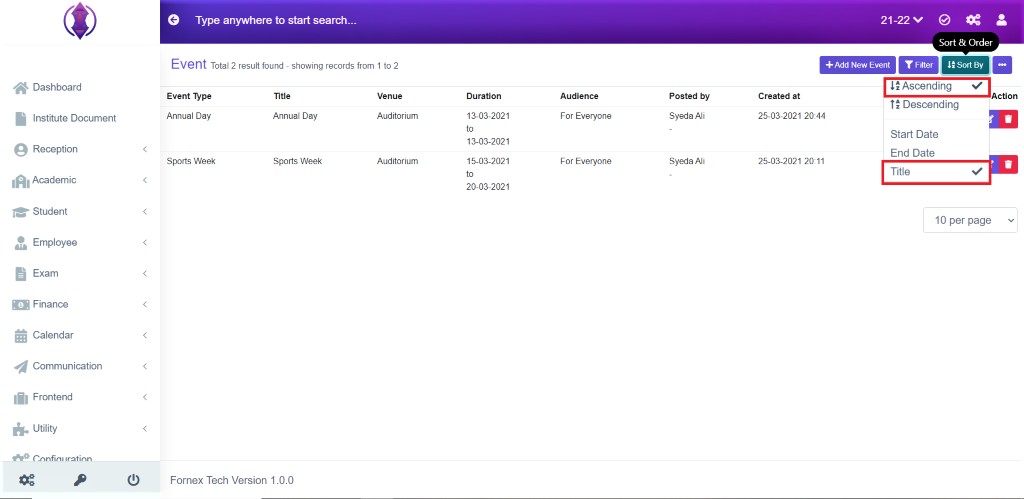
Figure 33
Ascending & Title: Selected Ascending & Title, it will list the events title in A to Z, alphabetical order. See figure:33
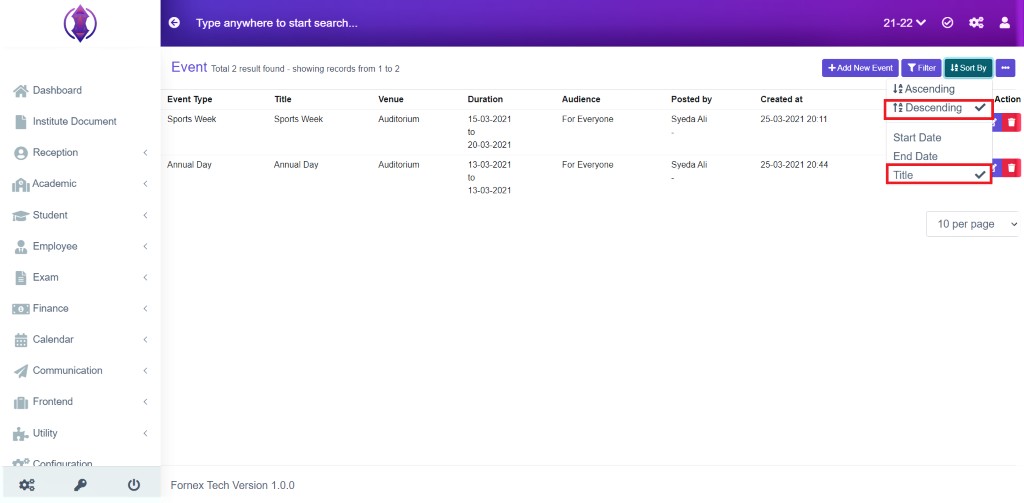
Figure 34
Descending & Title: Selected Descending & Title, it will list the events title in A to Z, alphabetical order. See figure:34
More options Description
Print Option:
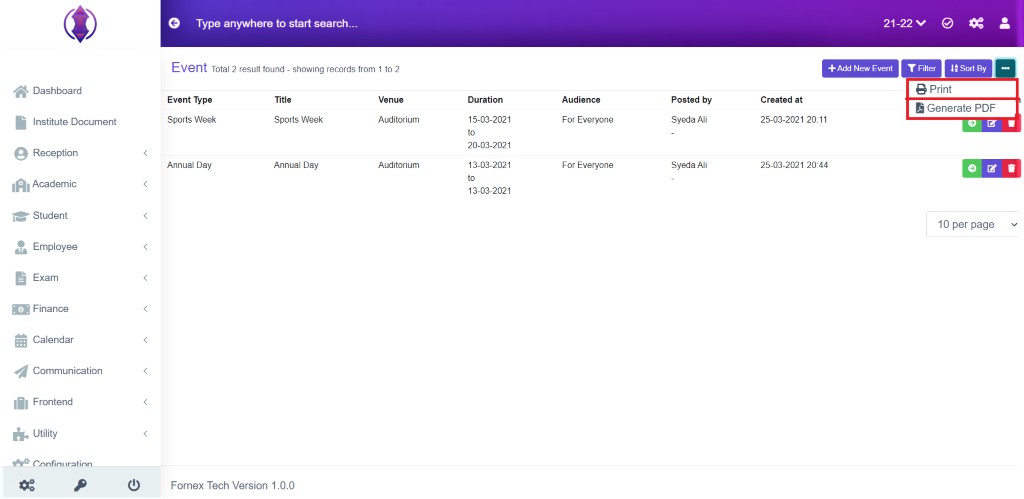
Figure 35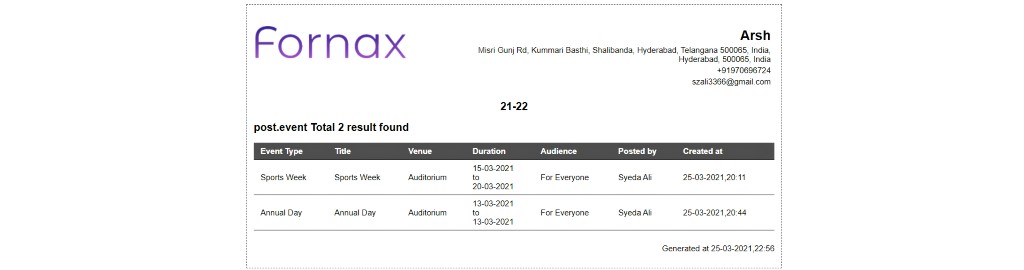
Figure 36This will Open a new tab and the table view data format, to Print, see figure:36.
Generate PDF:
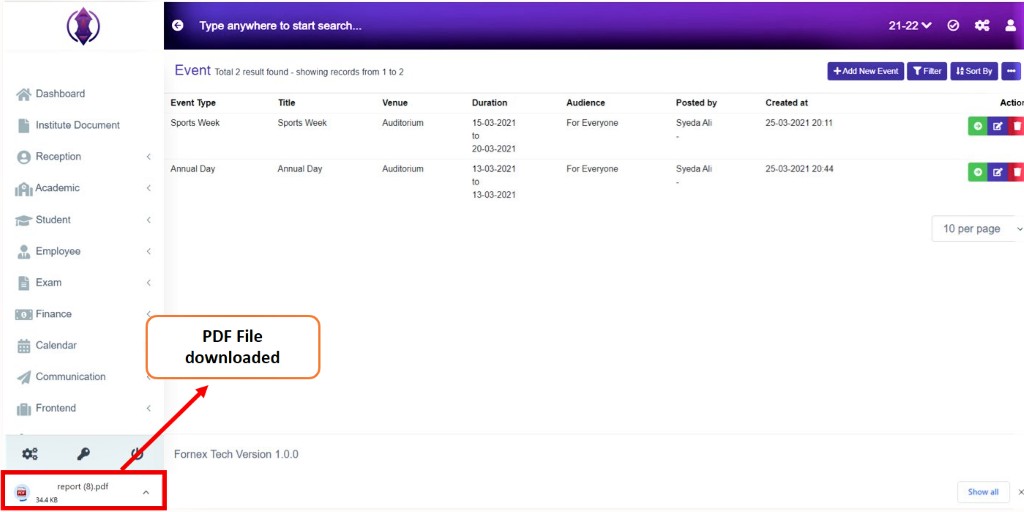
Figure 37This will download a pdf file on your desktop.