Topper Report
This module is used to print the topper report card of the selected Batch. Information in topper report can be viewed and printable of the selected batch. Refer figure1&2.
Forms Fields Description:
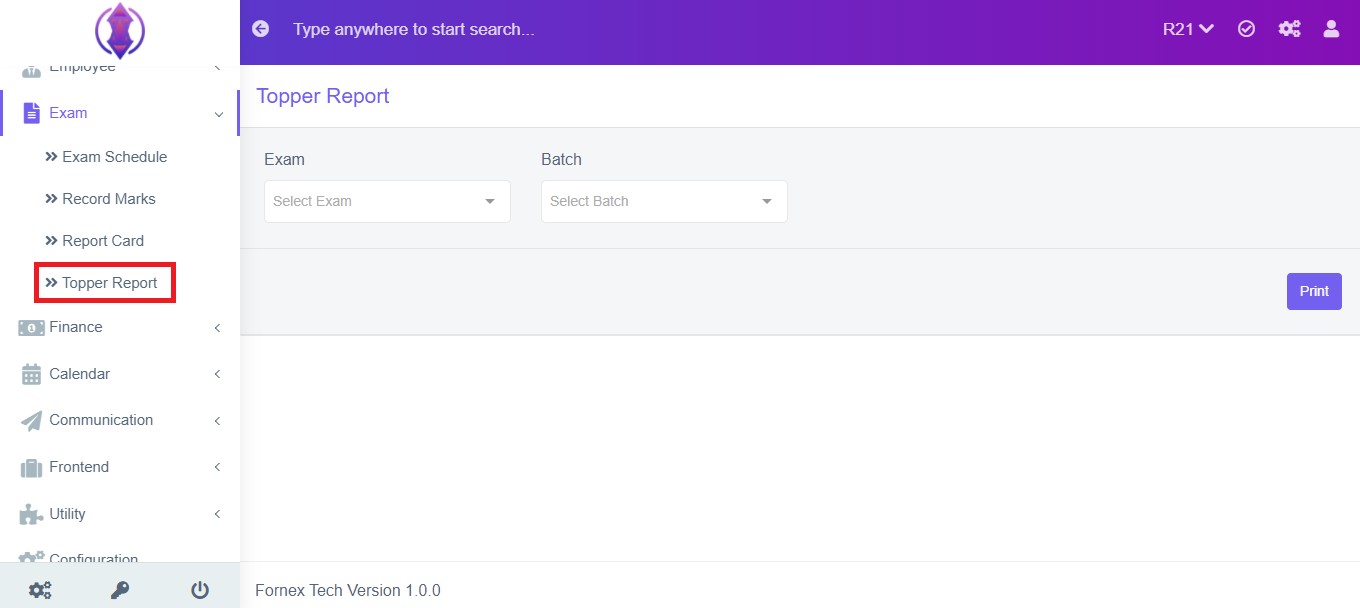
Figure 1
Exam : Select the Exam from the drop down list to print the report card. Refer figure:2&3 , as example.
Batch: Select the batch from the drop down list to view/print the selected student Report Card.
Print Option:
To print the topper report , click ‘Print’, this will Open a new page, listing all the students marks, to Print. Refer figure:2.
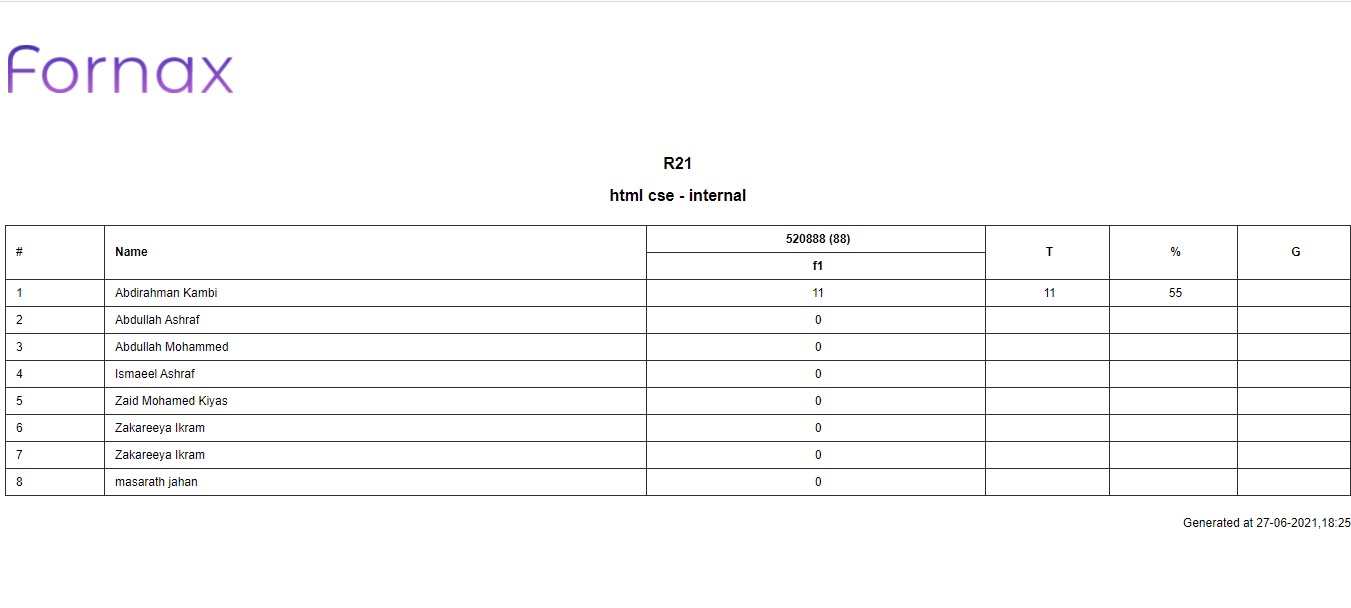
Figure 2