Report Card
This module is used to print the report card of the selected student. Information like, all term report, term wise report ,exam wise report and without term exam, of those is viewed and printable of the selected student. Refer figure3&4.
Forms Fields Description:
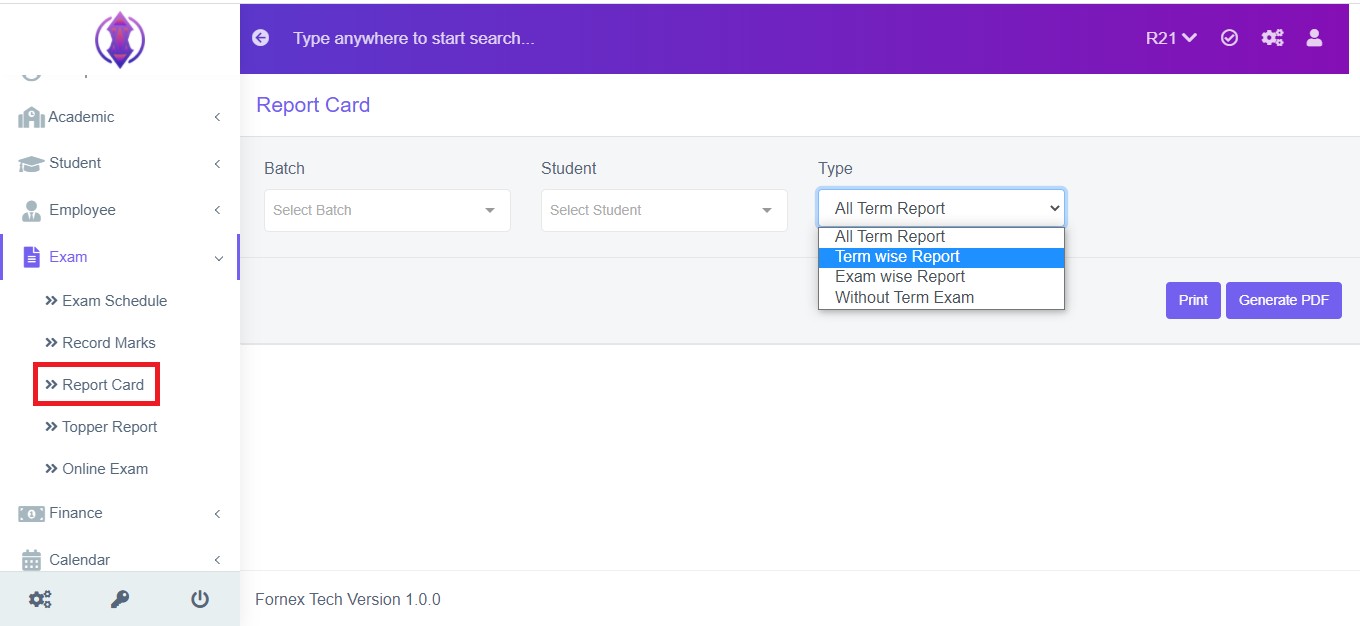
Figure 3
Batch: Select the batch from the drop down list to view/print the selected student recorded mark.
Student: Select the student from the drop down list to print or generate report card.
Type: Select the Type of report from the given 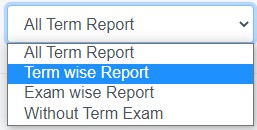 drop down list to print the report card. After selecting the Type of report a form field will be displayed as refer in figure 4.
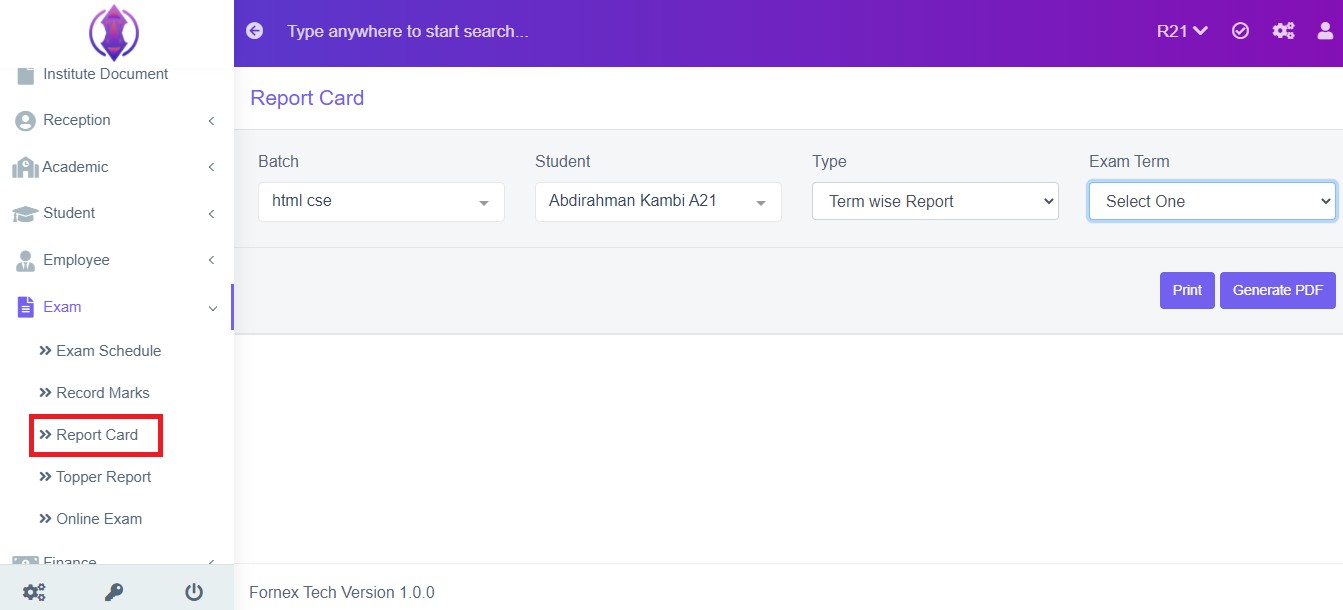
Figure 4Exam Term: Select the Exam Term from the drop down list to print or generate the report card. Refer figure:3&4 , as example.
Print Option:
To print the report card, click ‘print ’button, this will Open a new page, listing the report card of student, to Print. Refer figure:5.
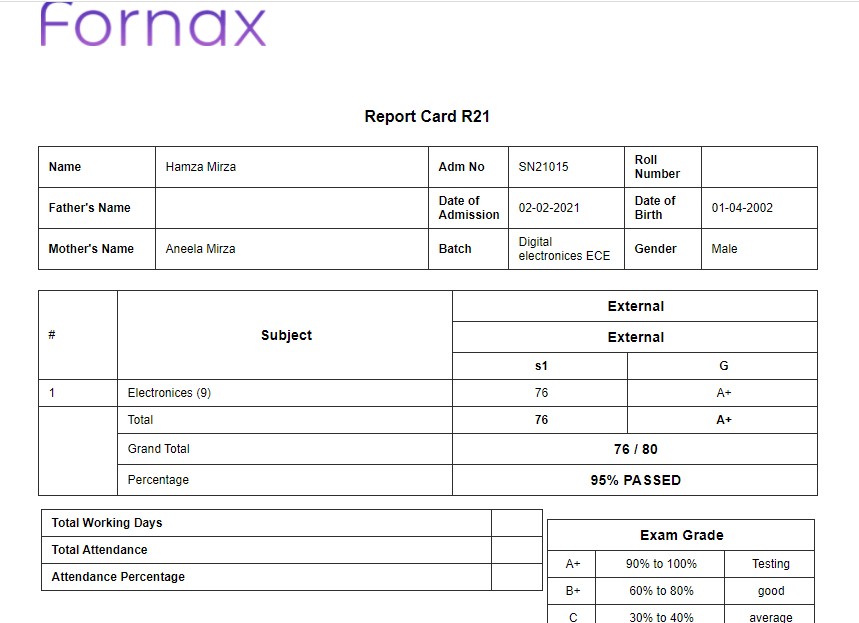
Figure 5Generate PDF:
To download PDF to the desktop, click ‘ ’, a pop up save as box will open confirming it to save it on desktop. Click ‘Save’ of the pop up box and the pdf will get saved on your desktop. Refer figure:7.
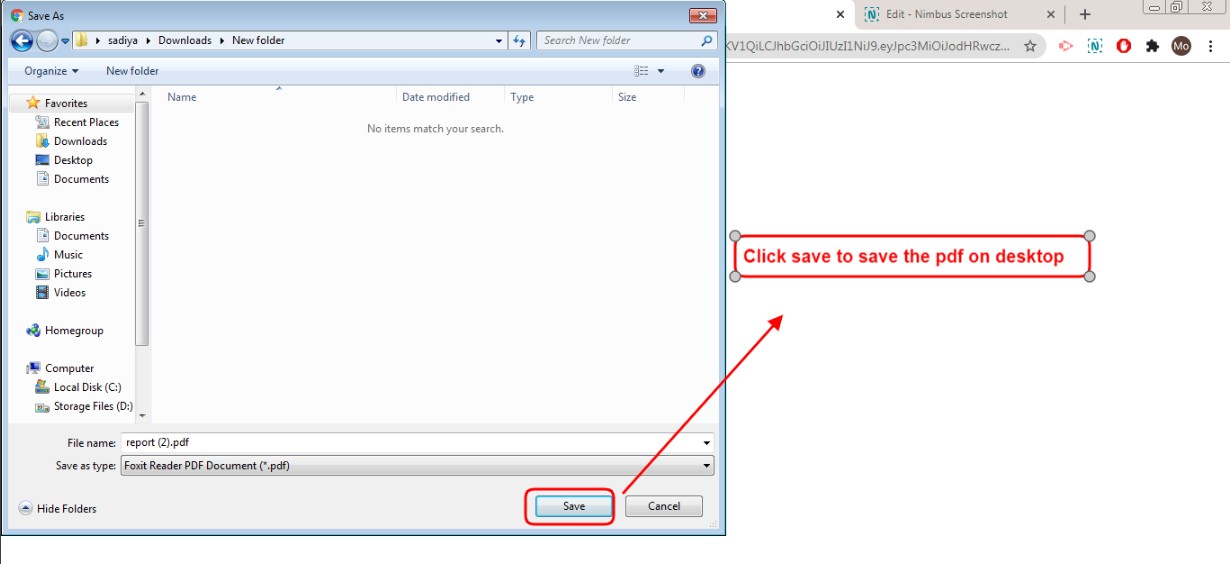
Figure 6