IP Filter
IP Filter
- — To Add New IP Filter
Form Fields Description
- — Start IP & End IP
- — Description
Data Table View Description
- — Edit IP Filter
- — Delete IP Filter
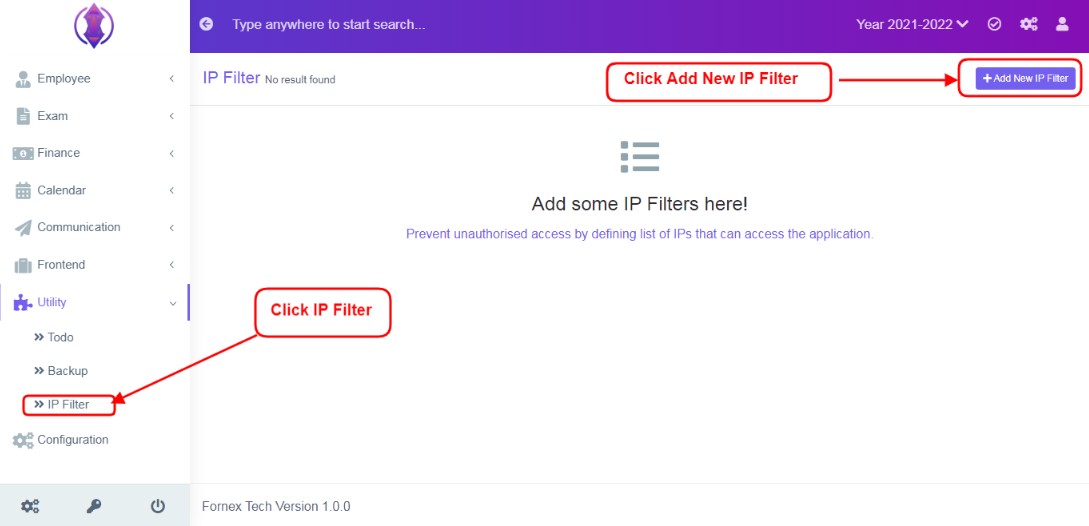
Figure 9
IP Filter is used to prevent unauthorised access of the application. Just add the list of IPs that can access the application, rest all other IPs will get blocked and cannot access the application.
To Add New IP Filter
Click ‘IP Filter’ Tab, click ‘Add New IP Filter’, and a new screen to enter data is displayed, enter data in to their respective form fields, refer figure:2.
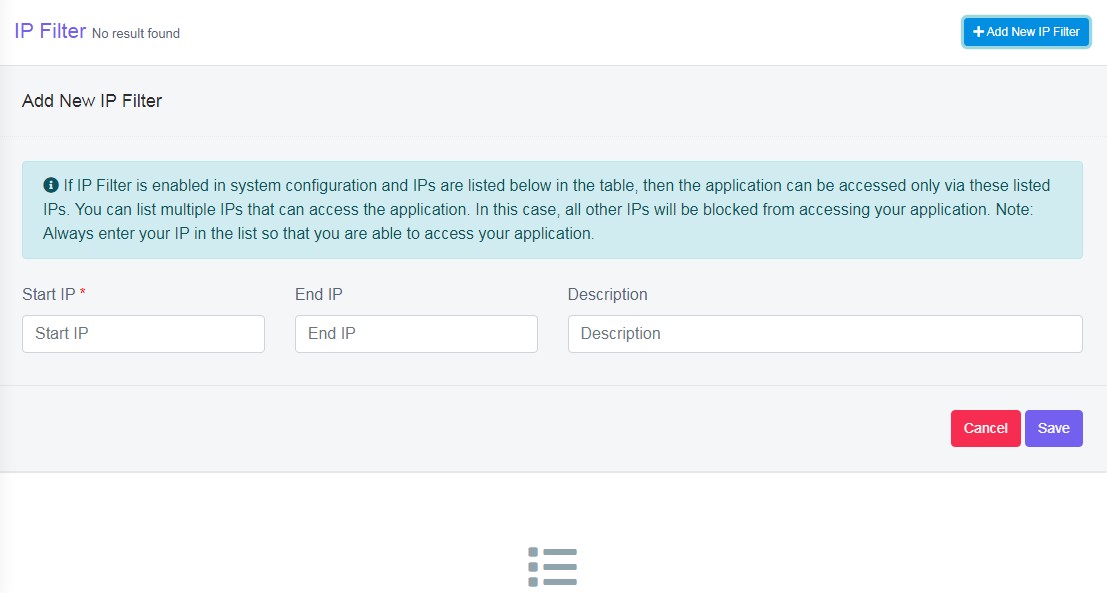
Figure 10Form Fields Description
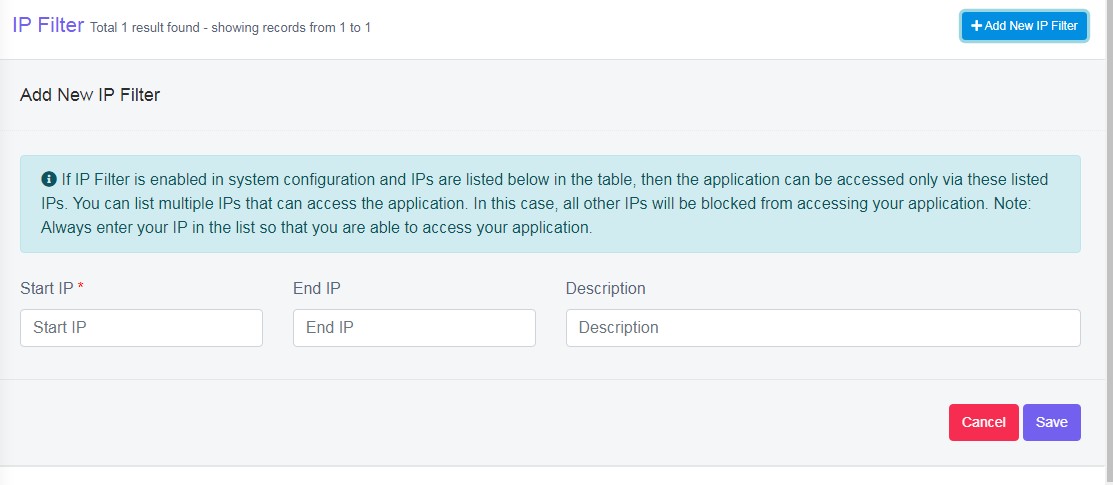
Figure 11Start IP & End IP:
Enter Start and End IP address.
Use this website Omnicalculator.com, to find out your Start and End IP address
Description:
It is to give description to the to do, in detail. If this field is left empty, in the data table list view, description column will be empty. This field is optional.
After the required information is entered, click ‘Save’, green popup screen will be displayed on the bottom right hand side of the screen, as “IP Filter Added”.
Once the IP filters are saved, all the added to do list can be viewed at one place, at front–end in data table list View, refer figure:3 – Data table View.
Data Table View Description:
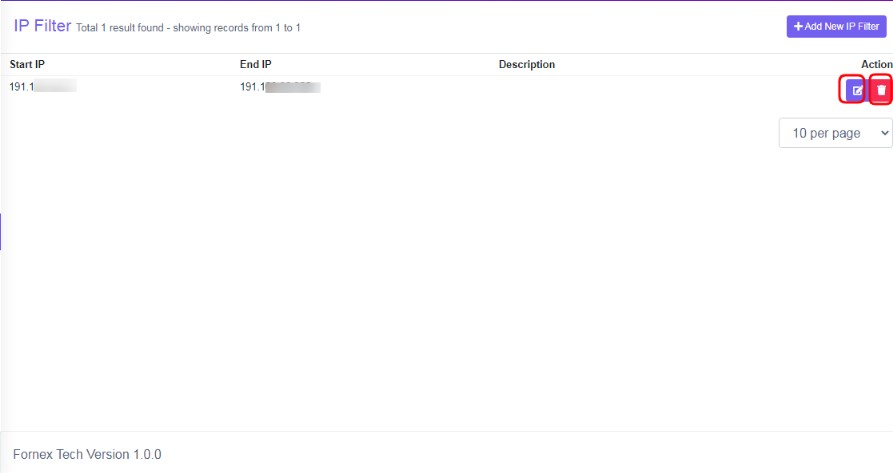
Figure 12All Column Fields of data table view are same as Form Fields description.
Edit IP Filter:
To edit the existing IP Filter, click  icon and a screen will be displayed to Edit IP Filter. Fill the required information, to do the changes to the form fields. Once done, click ‘update’, to save the changes. “IP Filter updated”, green popup notification will be displayed on the bottom right hand side of the screen.
Delete IP Filter:
To delete , the saved IP Filter, click delete  icon and a pop up screen comes up, asking for your confirmation
 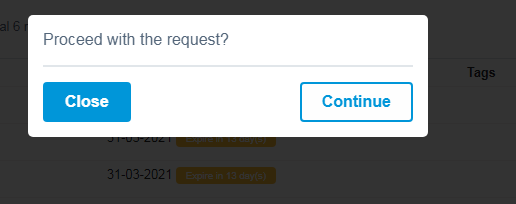 to proceed with the request, click, continue, to delete the data or click close to go back to the data table view. Data will get deleted from the database and it cannot be retrieved again.