Basic Configuration Tab
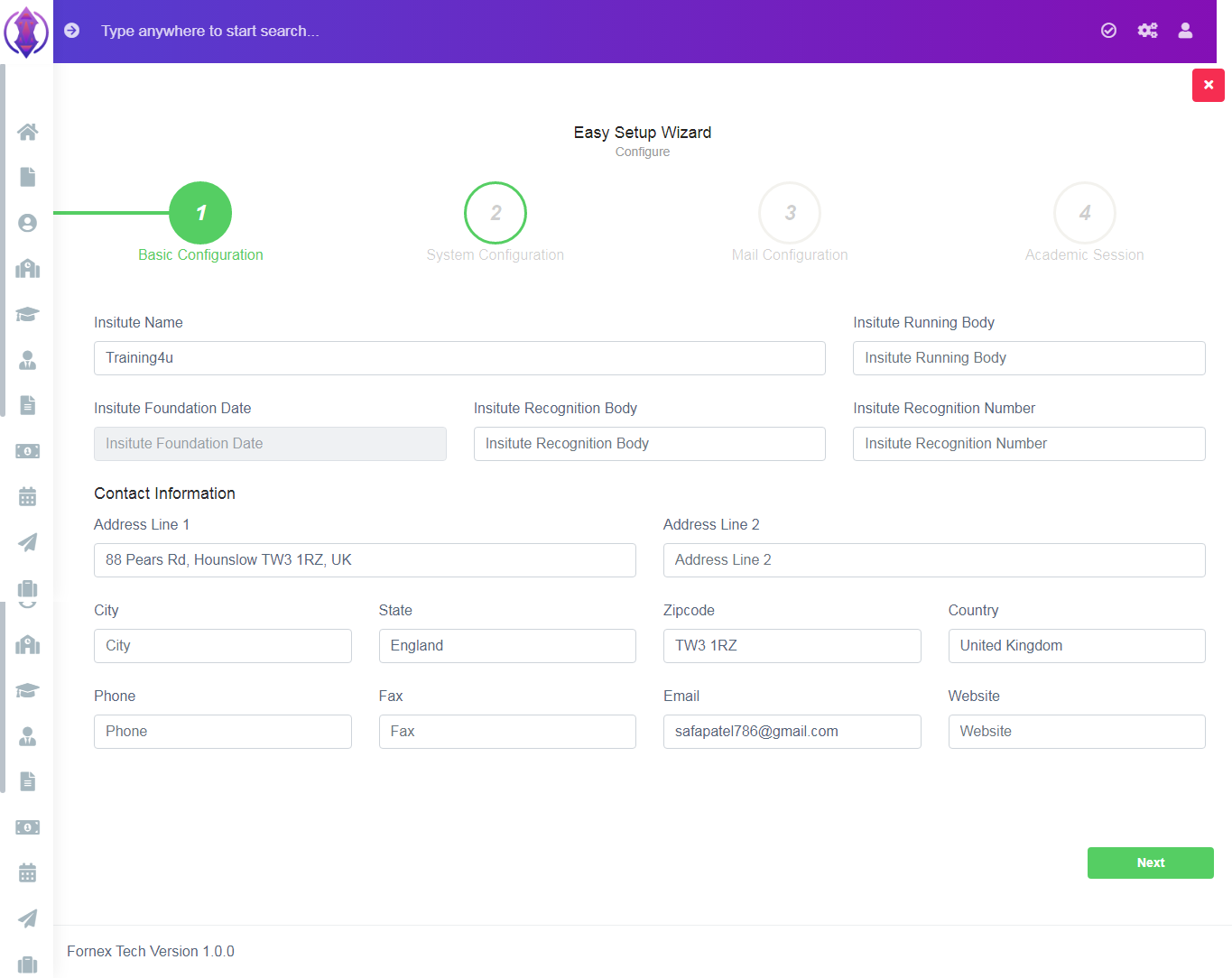
Figure 2In this tab, you need to enter the details and contact information of your institute/school.
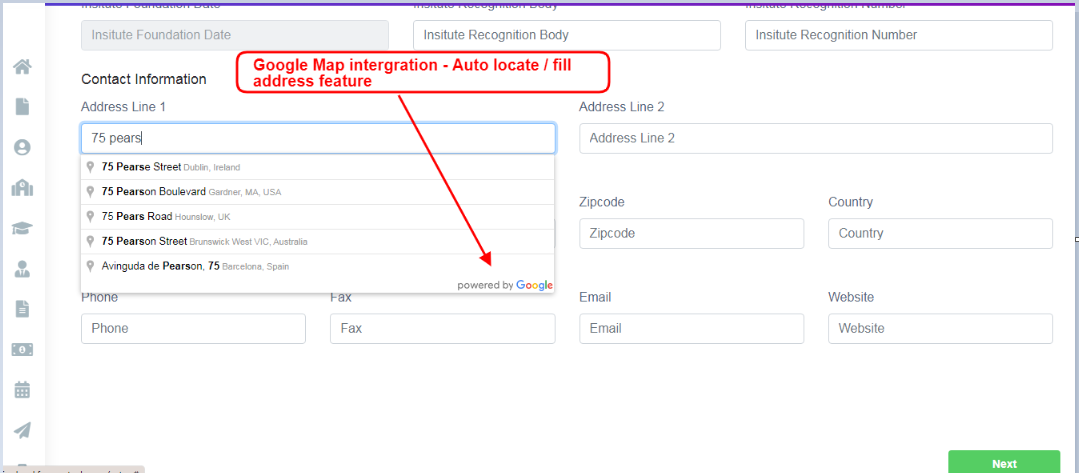
Figure 3
Note: Fornax-Tech, Institute Management Module (IMS) has the feature to integrate Google Map API into the system, *refer figure:3*. Users can utilise the benefit of autofill address provided by Google and the distance calculation in radius, provided by Fornax IMS as a premier feature.
Google Map integration will help you to auto locate/select/fill addresses on all forms of IMS address fields and our enhanced feature will auto calculate distance between institute and student's residence in radius.
Ex: Waiting list Status based on Distance, as priority, can be implemented. Distance between institute location to that of Student's resident location will be considered, auto calculated in radius and applied as priority in the waiting list number.
Contact Information fields:
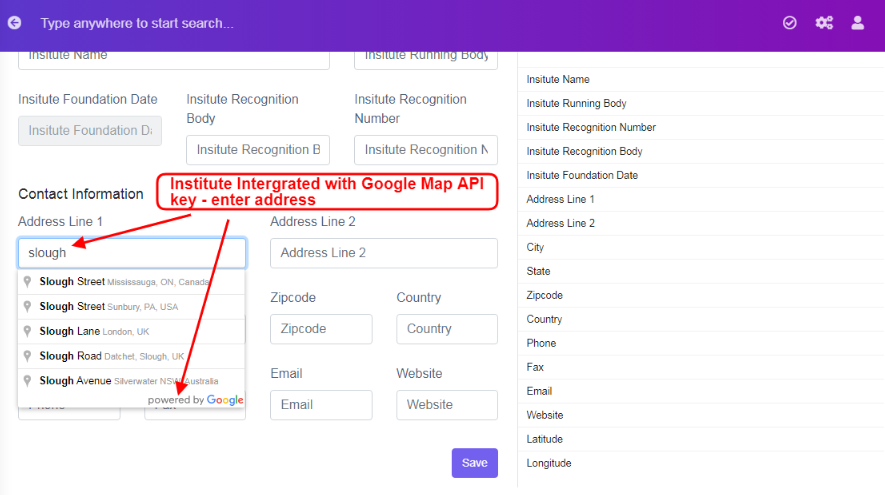
Figure 4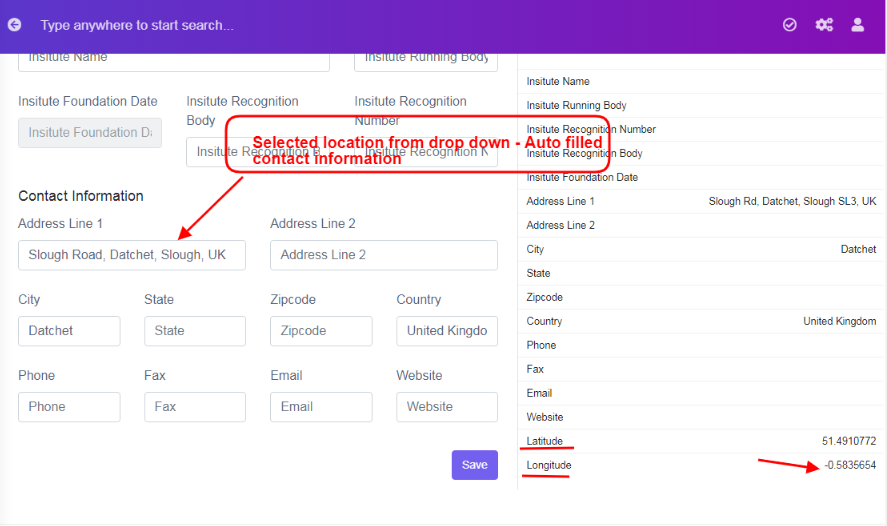
Figure 5Data entered in Address Line 1, along with Google Map API integration, will auto locate, upon first few words or number, select your address from the drop down list and it will get auto filled in, city, zip code, Country, Refer figure:3, Latitude and Longitude fields. Refer figure:4&5, at back-end, in configuration, Basic configuration.
By Default, Fornax IMS is integrated with Google API Key for all Clients Domain. Clients should create their own Google API key immediately and enter the details in system configuration settings, in Google Map API key field. For more details of creating a Google Map API key, Refer Points to be noted 2.
Once the required data is entered Basic Configuration Tab, click ‘Next’, a green pop up screen will be displayed at bottom right hand side of the screen as “configuration saved”.